Brainfuse Online Tutoring
TABLE OF CONTENTS
- What is Brainfuse?
- Access Brainfuse (Students)
- Add a Link to Brainfuse in Your Course
- Additional Resources and Support
What is Brainfuse?
Brainfuse offers content tutoring in many subjects, as well as writing support from professional tutors. Brainfuse's Online Tutoring program includes individualized tutoring and study tools to help Lesley students be successful in their classes. Topics include Business, Math, English, Science and Social Science.
For more information, refer to the Brainfuse resources on the Tutoring and Academic Success support page.
Access Brainfuse (Students)
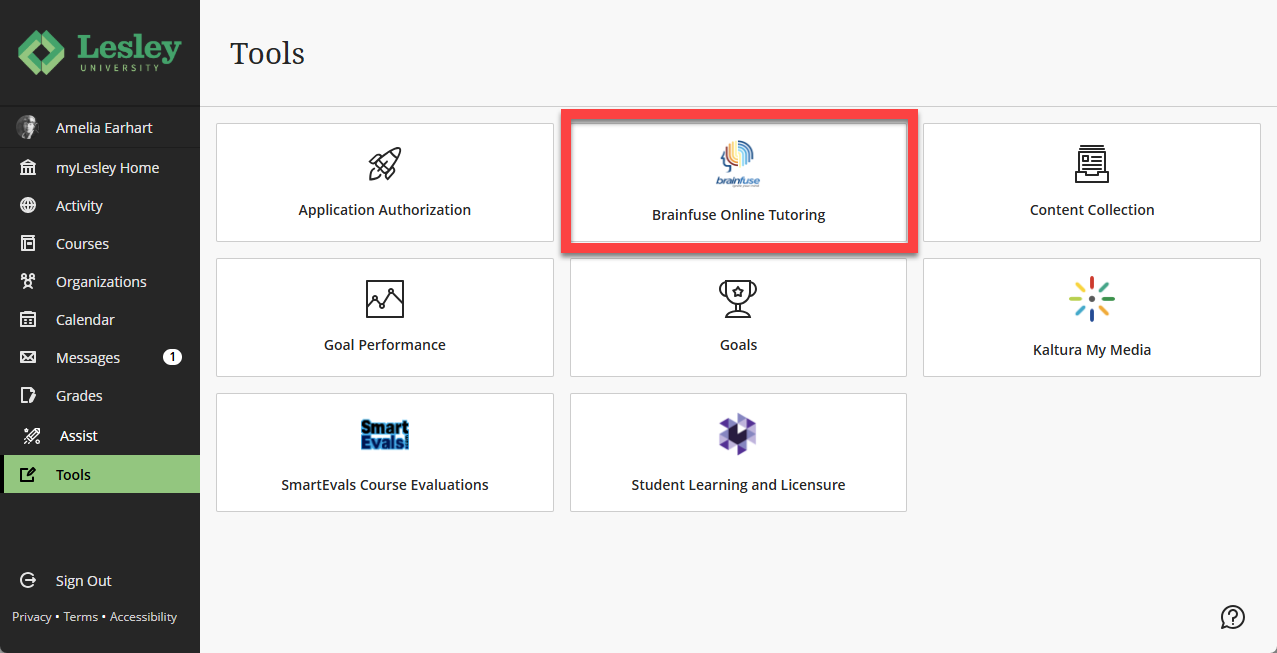
Students can access Brainfuse at any time. Login to myLesley and click the Tools menu in the main navigation. Select Brainfuse Online Tutoring.
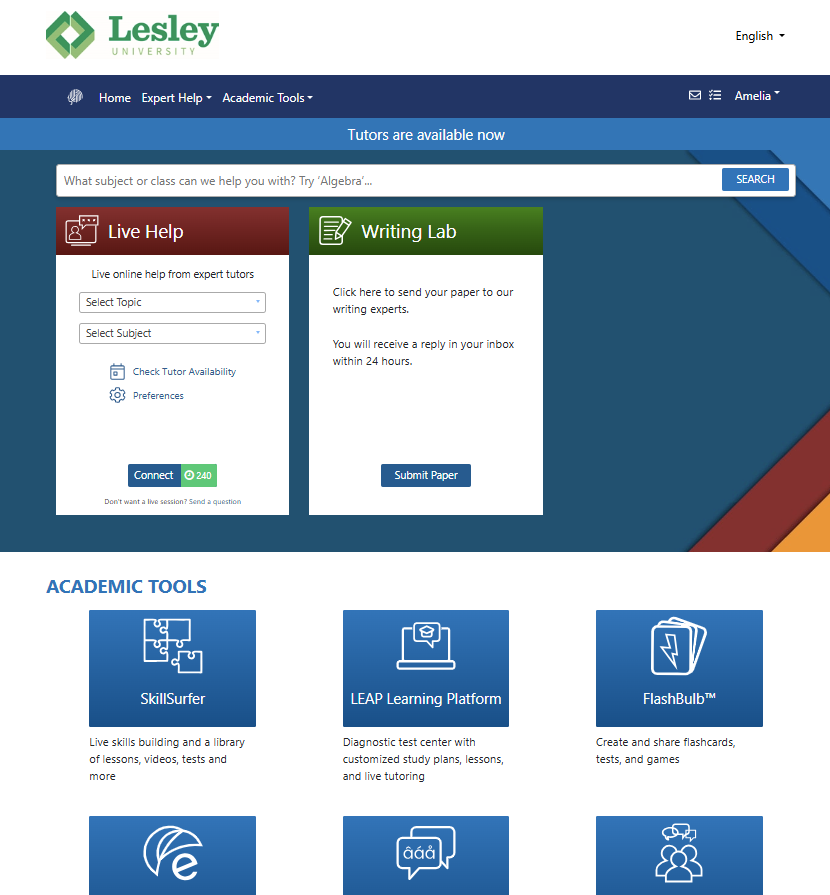
This will launch Brainfuse in a new tab or window. Students may access Live Help, the Writing Lab, and a variety of academic tools.
For more information, refer to the Brainfuse resources on the Tutoring and Academic Success support page.
Add a Link to Brainfuse in Your Course
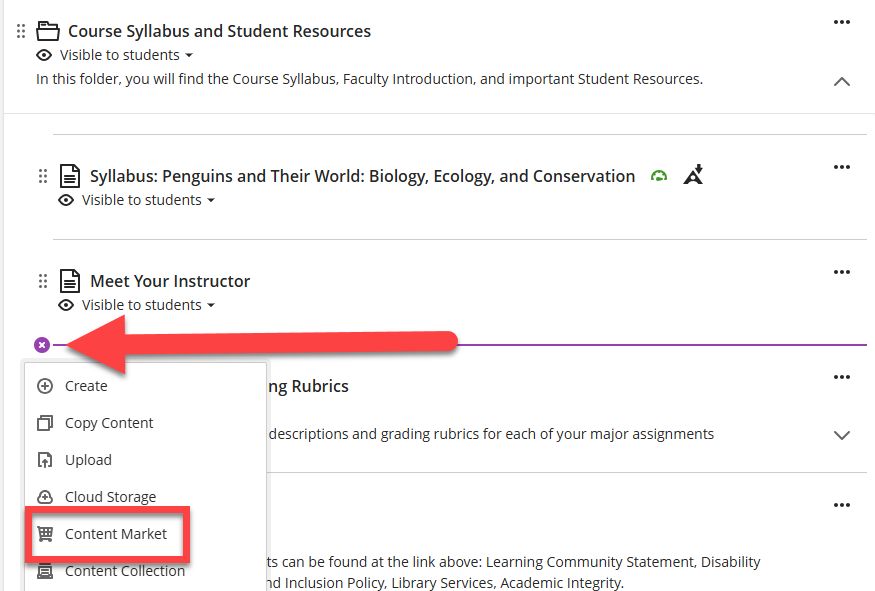
As an instructor, you can add a link to Brainfuse directly to your Course Content page or within a Learning Module or Folder. Locate the place where you would like to add the resource, click the Insert Content (+) button, and select Content Market.
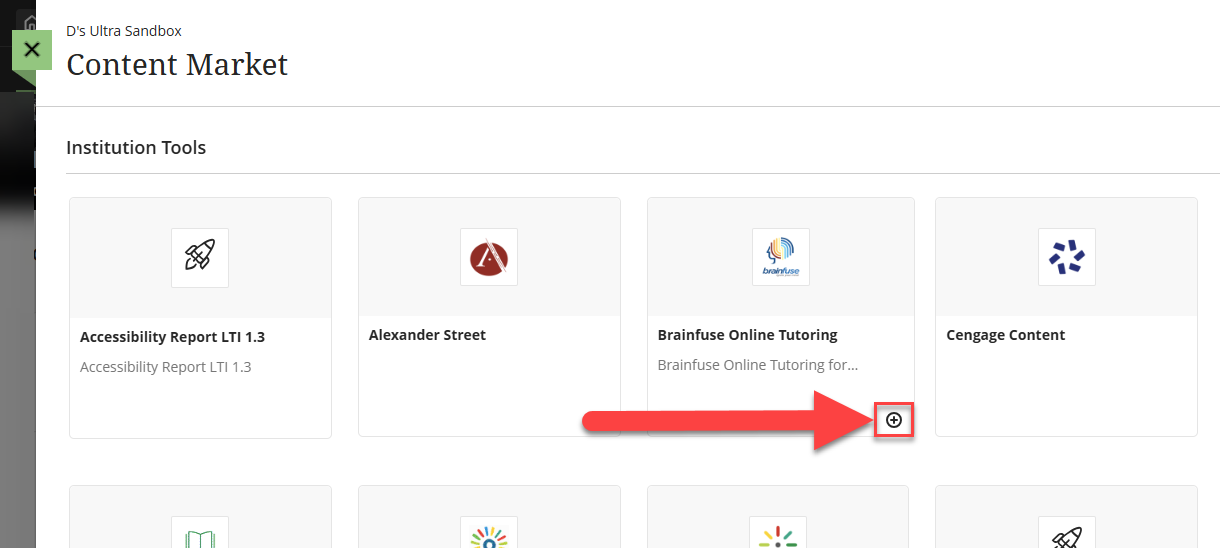
This will bring you into the Content Market. Locate Brainfuse Online Tutoring and click the + button to add a link to the tool in your course.
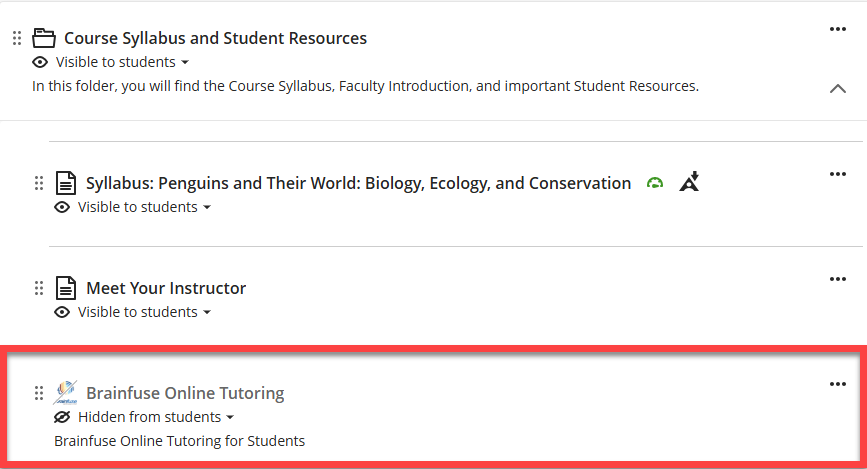
Your link will be hidden from students by default. Click on the visibility drop-down menu to make your link visible to students, hidden from students, or set release conditions. Refer to the Setting Content Visibility and Release Conditions support article for more information.
Additional Resources and Support
If you are a student in need of support, please reach out to the Center for Student Success and Advising. Here you will find resources for Academic Advising, Tutoring and Academic Success, Disability Support Services, International Student Services, and more.