Creating Job Requisitions for Adjunct Faculty Roles
This article provides Department Designees with step-by-step instructions on how to create Adjunct Faculty job requisition requests and submit them for review in Workday.
Creating a Job Requisition for Review
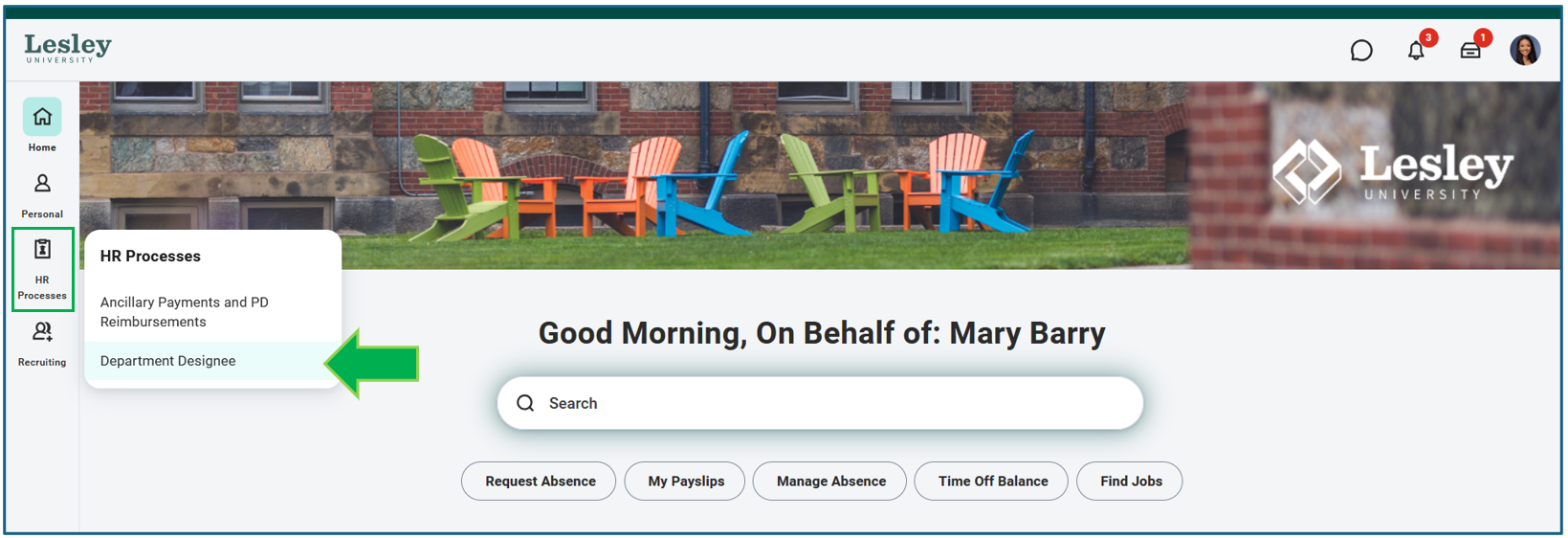
On the Workday Home page, hover over the HR Processes tab on the left-side banner and select Department Designee.
This will take you to the Department Designee dashboard. Here you can find several helpful descriptions under the “What is a…” section. On the right side, under My Tools, select Start Job Requisition. You will be directed to the Job Requisition Request Form.
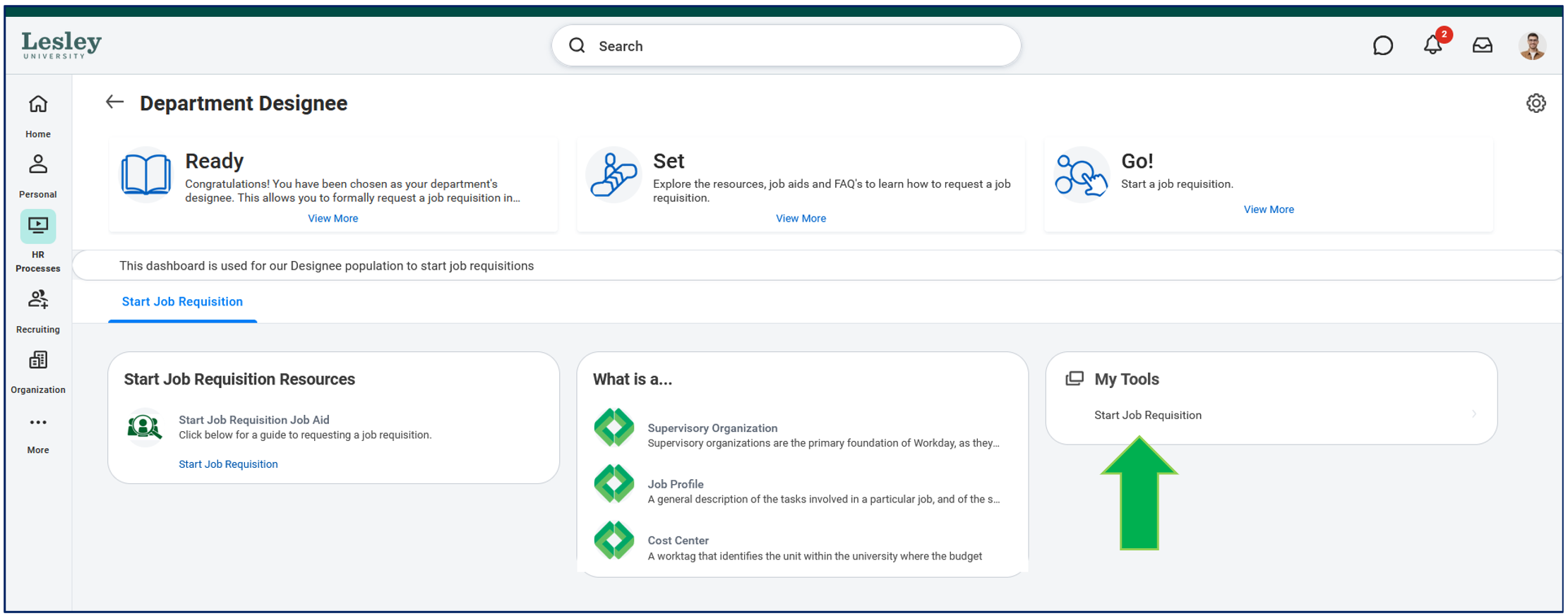
Start Job Requisition
When starting a Job Requisition Request Form, you will need to fill out all necessary information for the request to be submitted. Any field with a red asterisk is required.
Basic Information
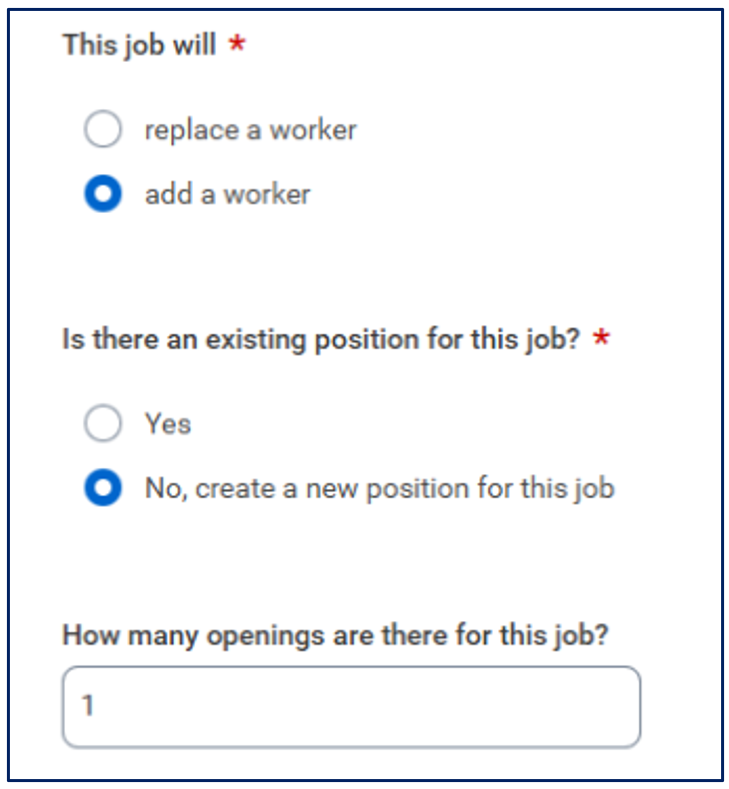
Once the Hiring Manager has been added, select the following options:
- This Job Will: Add a worker.
- Is there an existing position for this job? No, create a new position for the job.
- How many openings are there for this job? Include the number of class sections which require an external Adjunct Faculty hire.
Job Information
For the Job Profile, select Adjunct Faculty, then enter the Job Title and Job Description. The job description for adjunct positions should include the following information:
- Course code and name
- Semester, class periods, and course modalities (in-person, hybrid, remote)
- Course description
- Relevant degrees, experience, and skills required to teach the course
For more information or examples of correctly formatted Adjunct Faculty job descriptions, please contact HR at: HR@lesley.edu
Worker Information
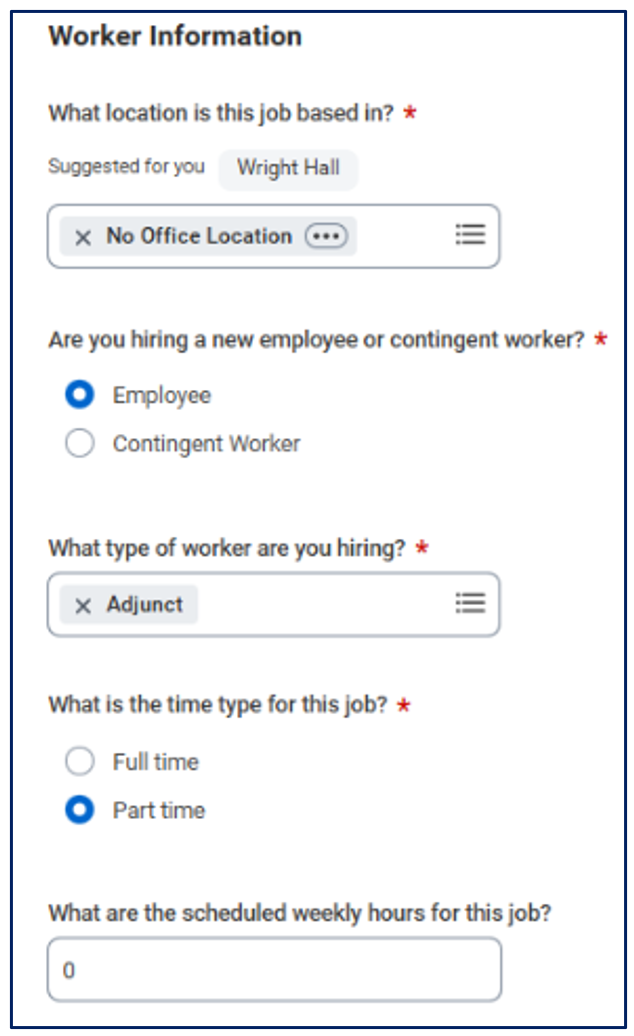
Answer the following questions in the Worker Information section:
- What location is this job based in? All adjunct positions should be submitted as No Office Location.
- Are you hiring a new employee or contingent worker: Select the Employee option.
- What Type of worker are you hiring? Select Adjunct from the menu options.
- What is the time type for this job? Select the Part-Time option.
- What are the scheduled weekly hours for this job? Insert 0 hours for all adjunct positions.
Cost Information
Under Cost Information, select Lesley University for the company and the appropriate department for the cost center.
Recruiter Information
Under Recruiting Information, answer the questions as appropriate.
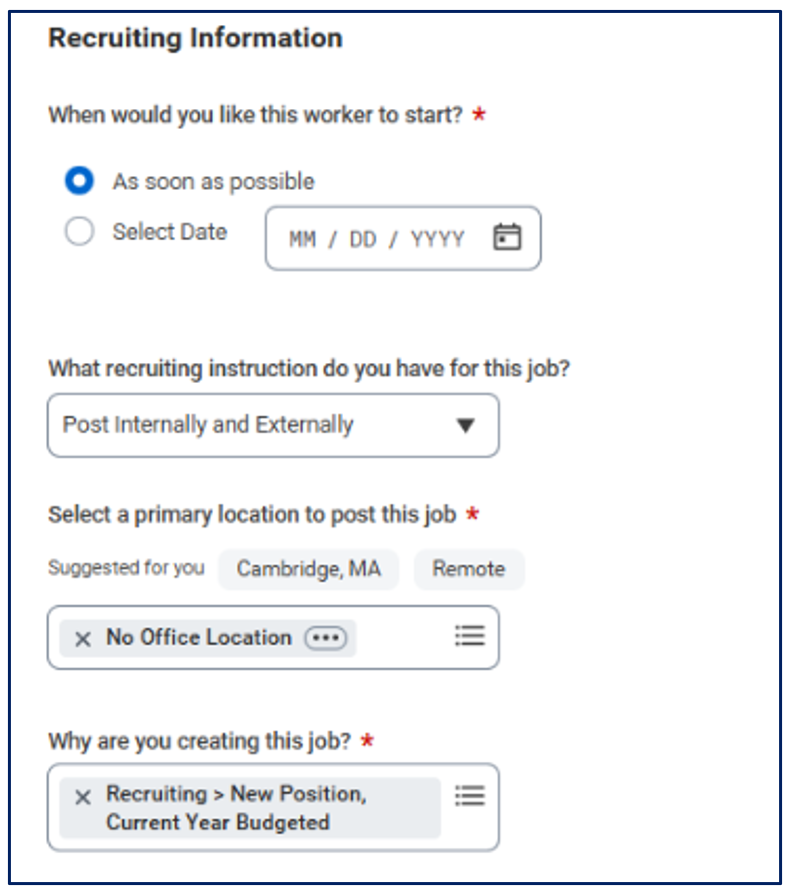
Click Submit once all the necessary information is filled. Once you submit, you will receive a separate Questionnaire in your Workday inbox. This Questionnaire will provide necessary information about the position, including semester or term start, onsite requirements, and the impact on the department.
Please Note: that the answers provided on this questionnaire will be reviewed by the Requisition Review Committee.
NEXT STEPS
- Requisition submissions are reviewed weekly.
- If your requisition is approved, a member of the HR team will post your position to the Lesley University Careers site and notify you via email.
- If your requisition is placed on hold, it will not be placed on the Lesley University Careers site. For questions or more information, please reach out to your cabinet leader.