The Search Committee Member plays a key role in evaluating candidates, providing feedback, and supporting the Hiring Manager in the interview process. This knowledge base article will help you understand on how to execute your role in navigating through the candidate experience in our HR system Workday.
When you are assigned the Search Committee role, you will be designated the Search Committee Member dashboard on your Workday Homepage. Your all-in-one resource as a Search Committee Member.
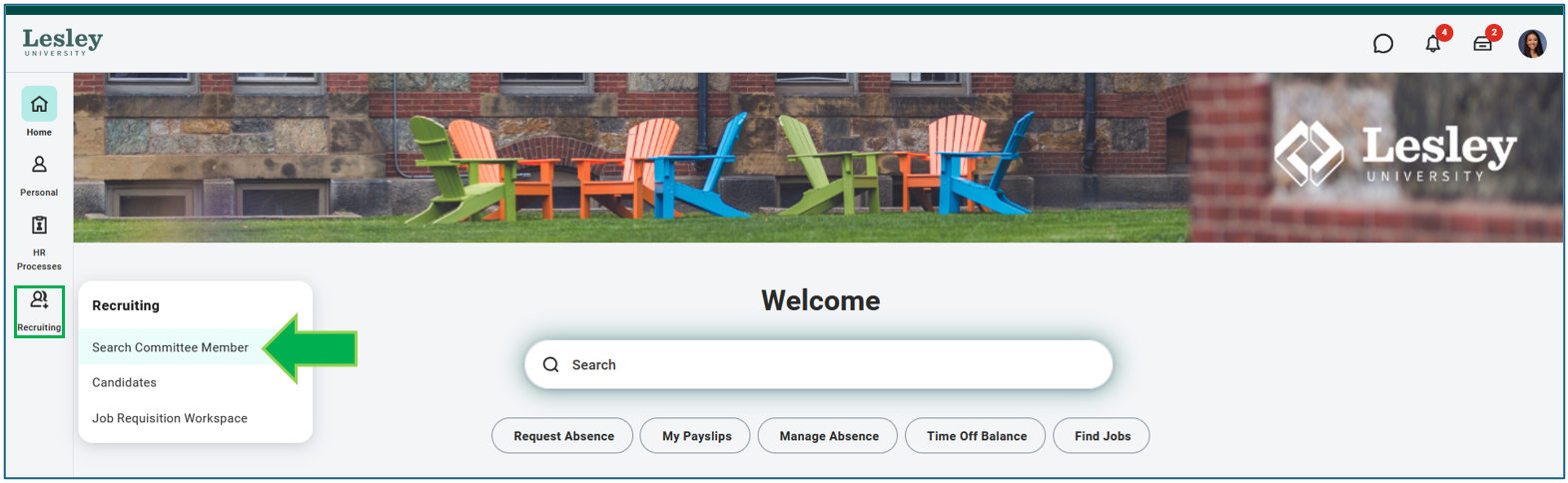
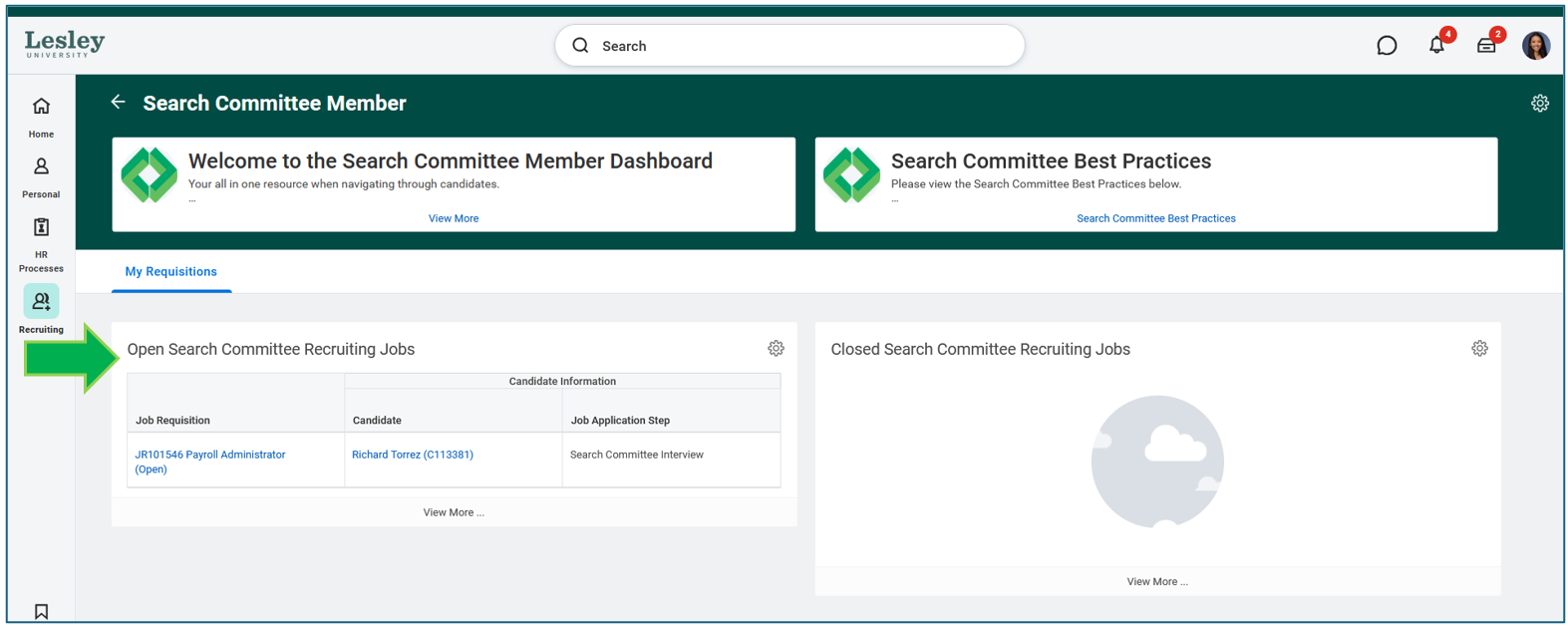
Within the dashboard, you will be able to view candidates and the open job requisitions you are assigned as a Search Committee Member to help the hiring manager in the evaluation of candidates. Resources and training material to help you execute your role and many more.
You will find an overview of the candidates in the Search Committee Interview step and which job requisition the candidate has applied for. If you are assigned a Search Committee Member for more than one requisition, you will find all the requisitions you are a Search Committee Member on in the dashboard.
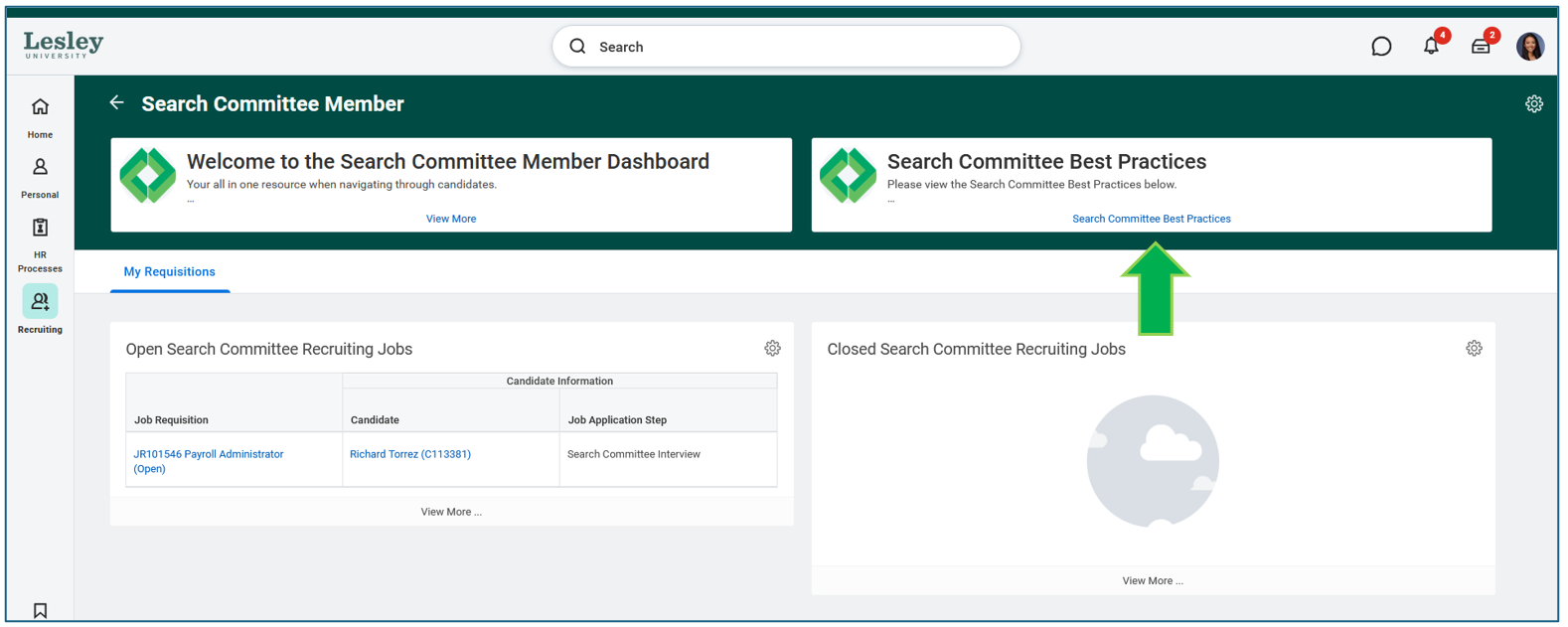
You will find resources and tools to help execute your role as a Search Committee Member.
During the recruiting process and when a candidate is ready to be moved to the next step to be interview by the search committee, our recruiter will move the candidate to the Search Committee Interview step.
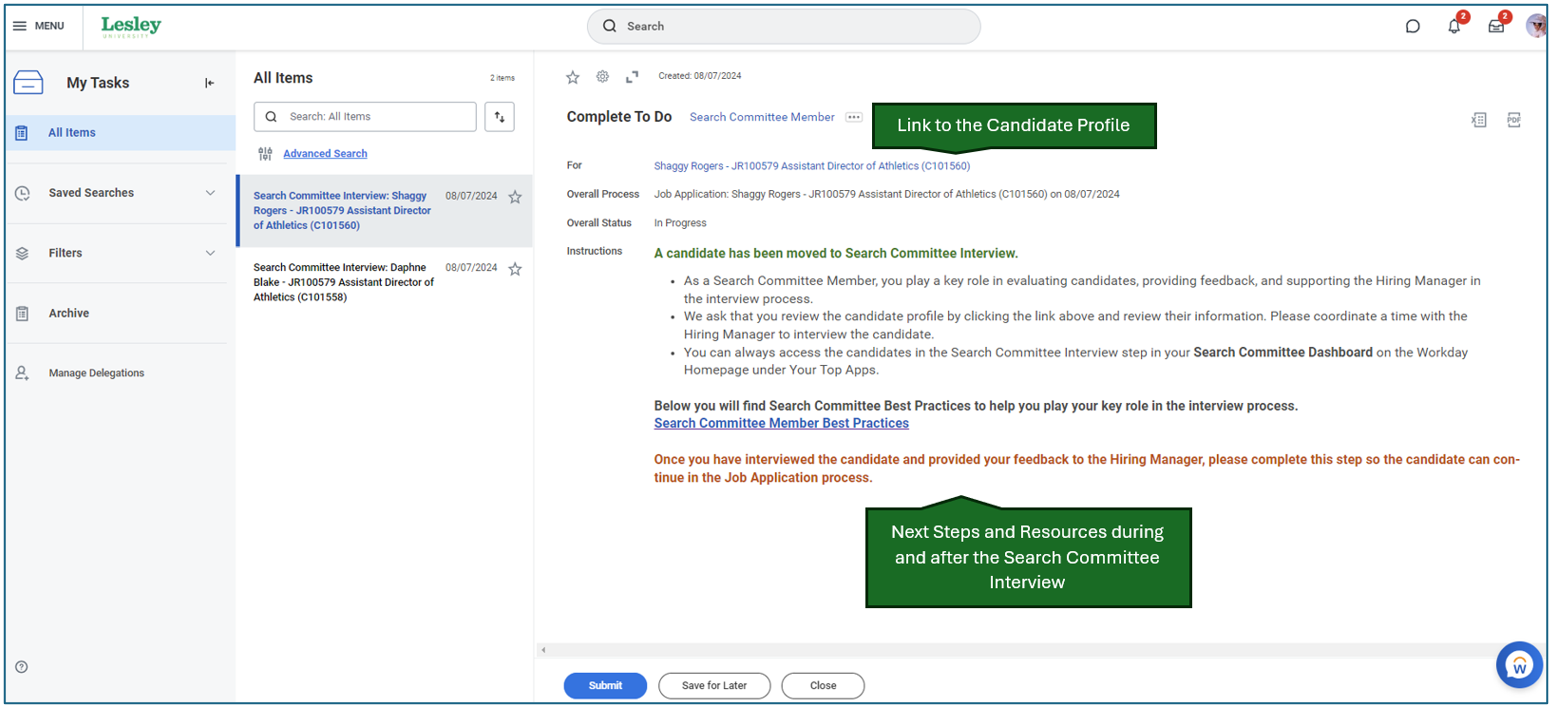
When a candidate is moved to this step, as a Search Committee Member you will receive a task in your Workday Awaiting Your Action inbox.
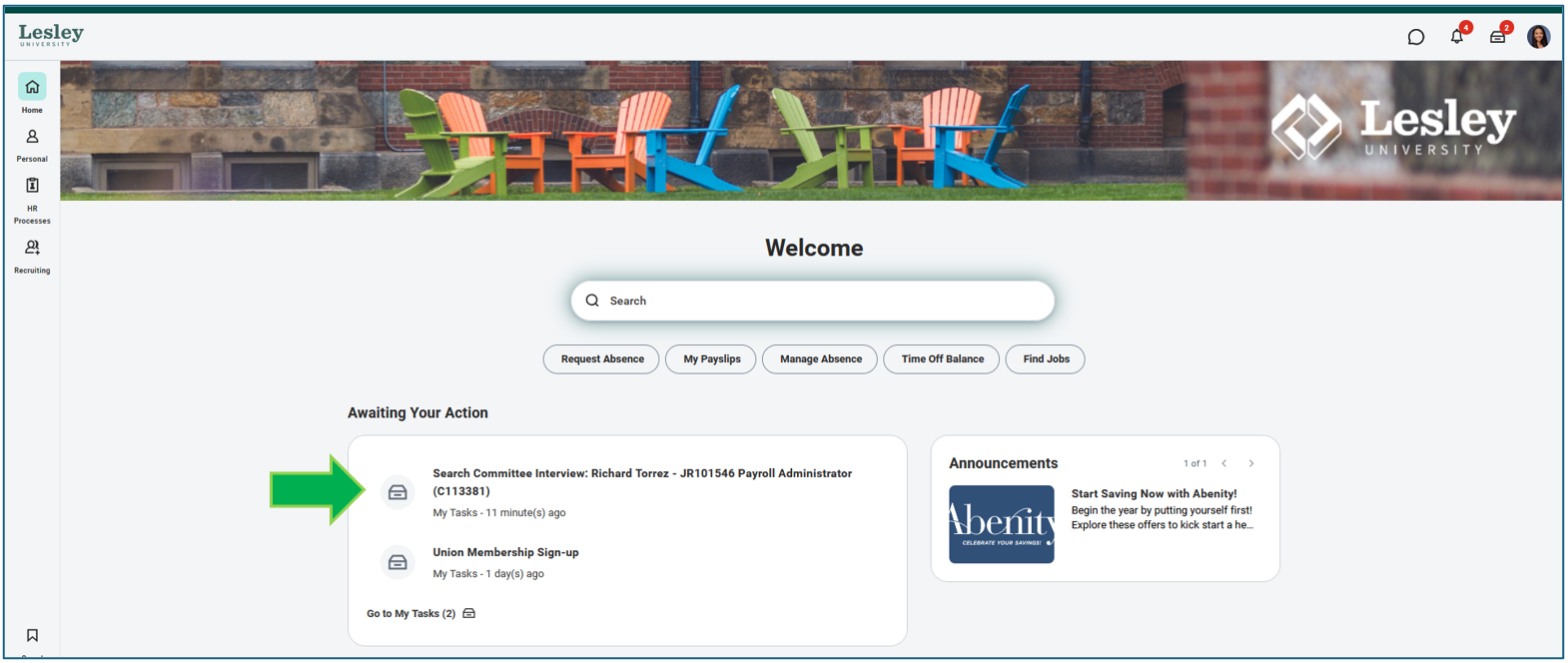
The task in your Workday inbox will help provide you a link to the candidate profile so you can review their details in preparation for your interview. A brief helpful text on next steps and tools and resources to help you during the process.
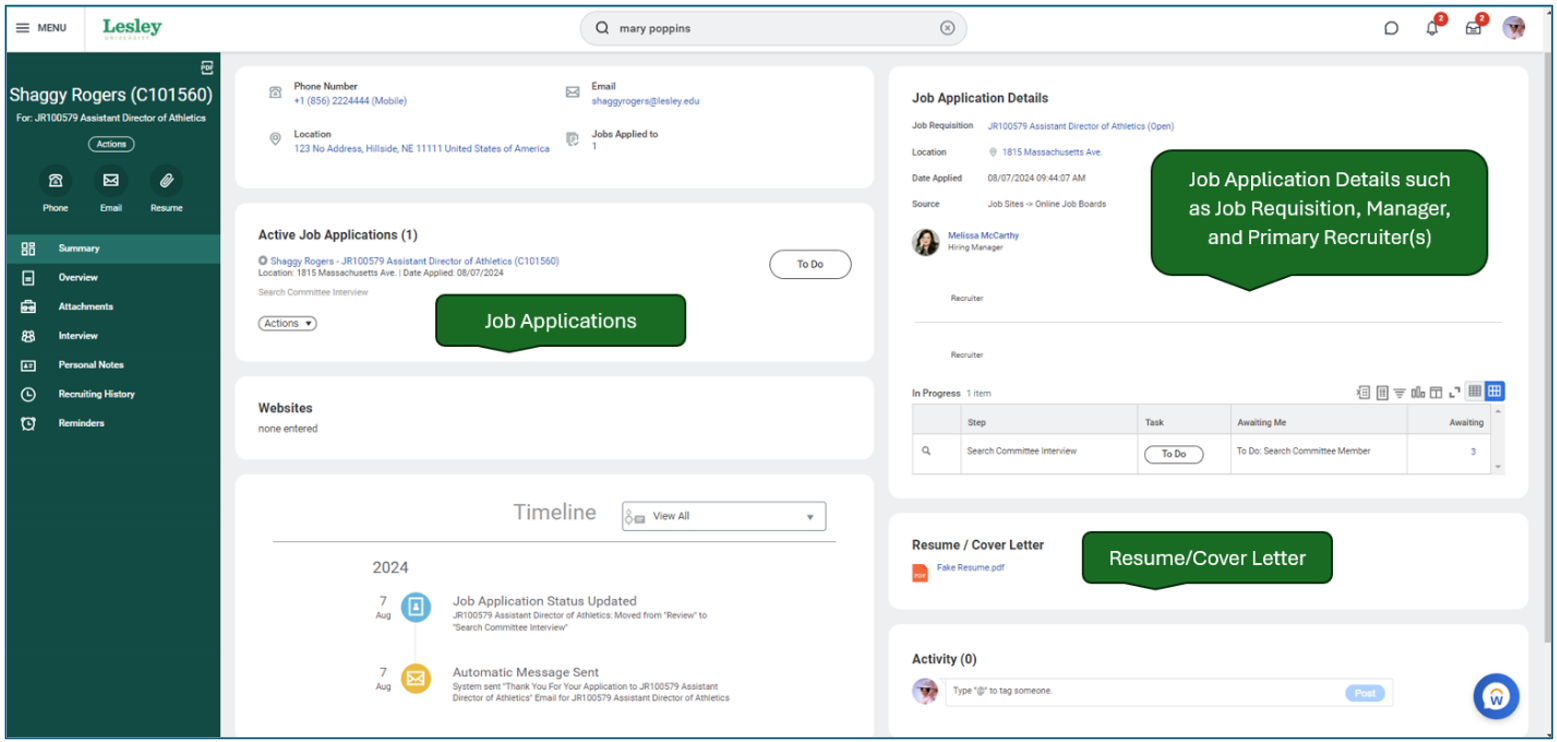
When clicking the Candidate Profile link, you will be directed to an overview of the candidates information. You will be able to review their resume and information in preparation for your interview.
Once you have concluded your interview with the candidate and provided your feedback to the hiring manager, please sign back into Workday and complete the task in your Awaiting Your Actions inbox. This will move the candidate to the next step for our recruiters to move them through the process.
Was this article helpful?
That’s Great!
Thank you for your feedback
Sorry! We couldn't be helpful
Thank you for your feedback
Feedback sent
We appreciate your effort and will try to fix the article