This job aid provides department designees step-by-step instructions on how to use Workday for creating job requisitions and submitting them for approval.
Creating a Job Requisition and Submitting for Approval
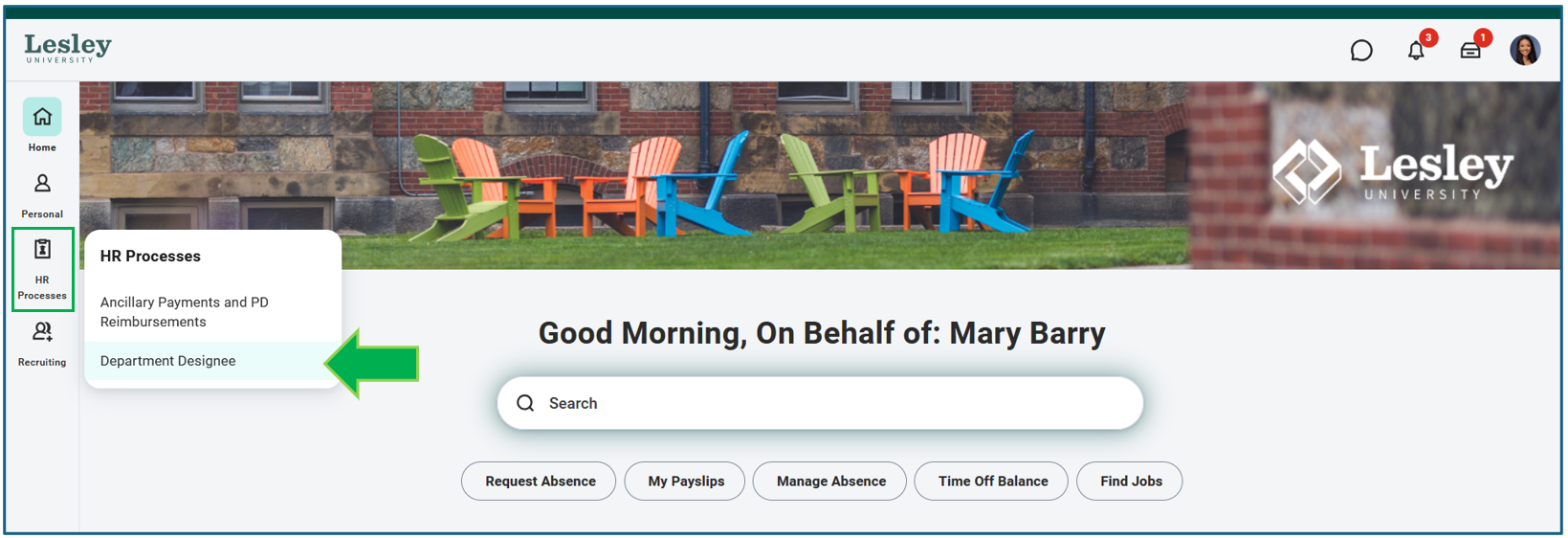
On your Workday homepage, select the Department Designee dashboard.
Select Start Job Requisition.
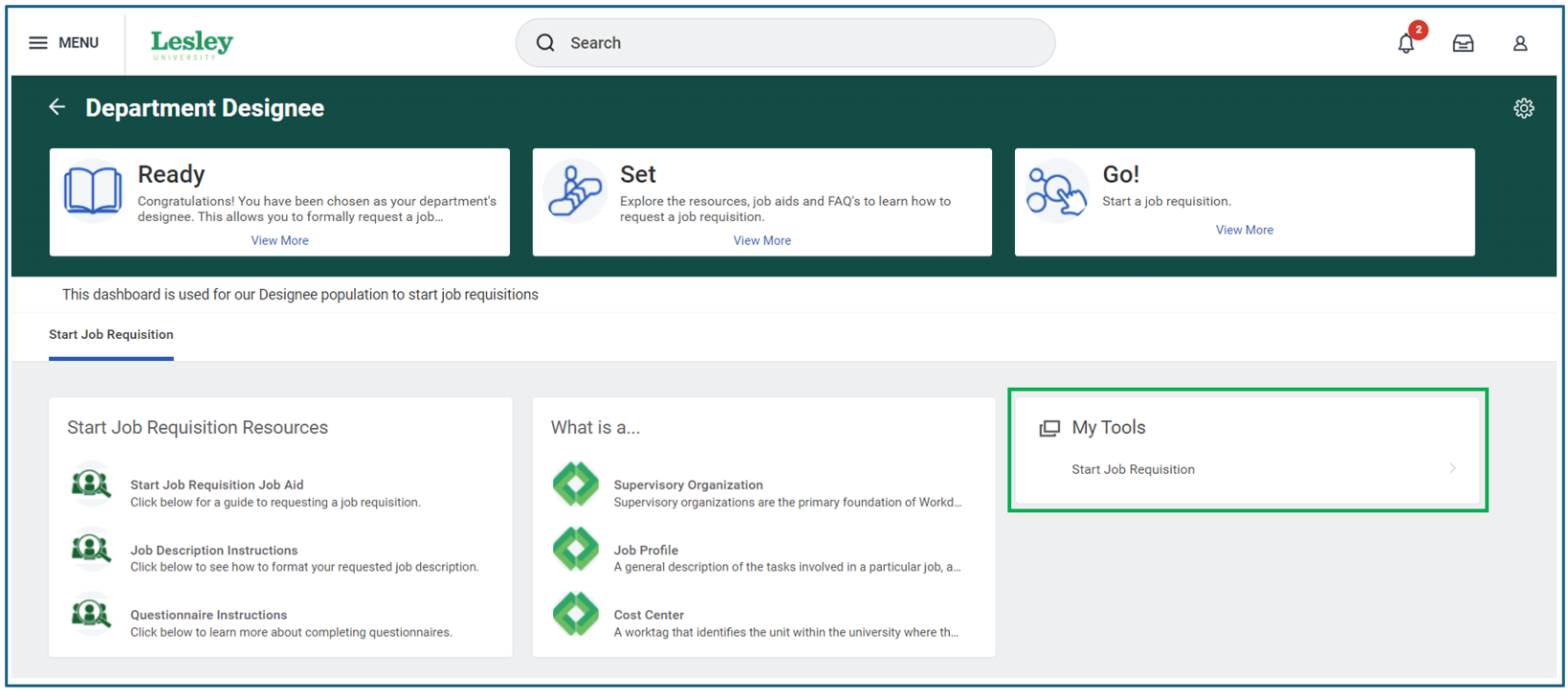
Start Job Requisition
When starting a Job Request Form, you will need to fill out necessary information for the request to be submitted. Any field with a red asterisk is required.
Select the appropriate Supervisory Organization. This will be the hiring manager for the position.
Select Replace a worker if this job is replacing a current employee or select Add a worker if this is a brand new position.
Select the Adjunct Faculty Job Profile for the position.
Note: A job profile is a record of information about a job, such as a summary, description, and key characteristics and includes the compensation grade, requirements, and responsibilities. It’s used to assign workers to a supervisory organization. A job profile belongs to a job family, which is a grouping of similar job profiles.
Enter the Job Title and Job Description. The job description should include a summary of the position and a set of minimum requirements/qualifications for the position.
Enter the primary location for the position.
Choose Employee for the question, “Are you hiring a new employee or contingent worker”?
For worker type, choose Adjunct.
Select Part time for this position and enter the scheduled weekly number of hours.
Under Cost Information, select Lesley University for the company and the appropriate department for the cost center.
Under Recruiting Information, answer the questions as appropriate. Scheduled weekly hours should be 0.
Click Submit.
Complete the Questionnaire in your inbox which provides more information about your position, including the semester for the position, remote work requirements, a list of search committee members, information about the work currently being done, position alternatives, and the impact on the department.
Note: Please note that the answers provided on this questionnaire will be reviewed by the review committee (President of the University, Provost, and Chief Human Resources Officer).
NEXT STEPS
- Requisition submissions are reviewed weekly.
- If your requisition is approved, a member of the HR team will post your position to the Lesley University Careers site and notify you via email.
- If your requisition is placed on hold, it will not be placed on the Lesley University Careers site. For questions or more information, please reach out to your cabinet leader.
Was this article helpful?
That’s Great!
Thank you for your feedback
Sorry! We couldn't be helpful
Thank you for your feedback
Feedback sent
We appreciate your effort and will try to fix the article