Change My Contact Information (Address, Phone Number, Email)
You can change your home contact information at any time.
Some home address changes may affect your employee record in the following areas:
- Benefit Vendors
- Taxes
- Paycheck
Change My Contact Information
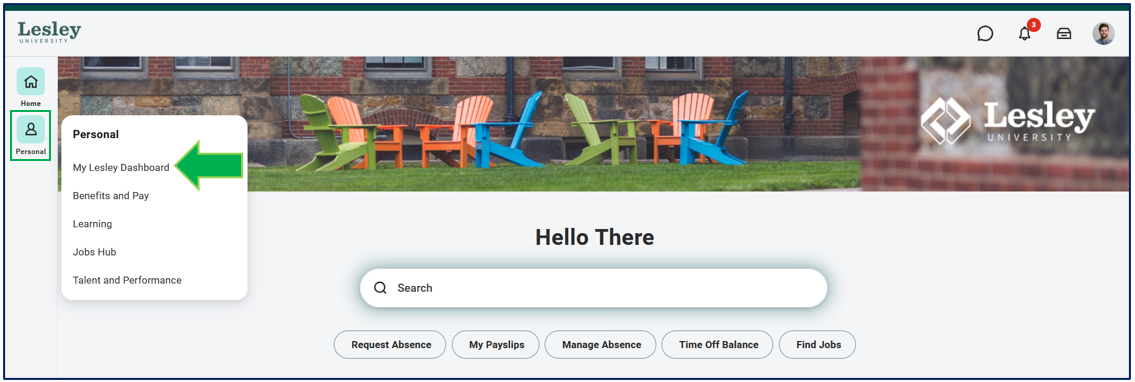
Click on the My Lesley Dashboard from the Personal category on your navigational panel on the left-hand side of your Workday homepage.
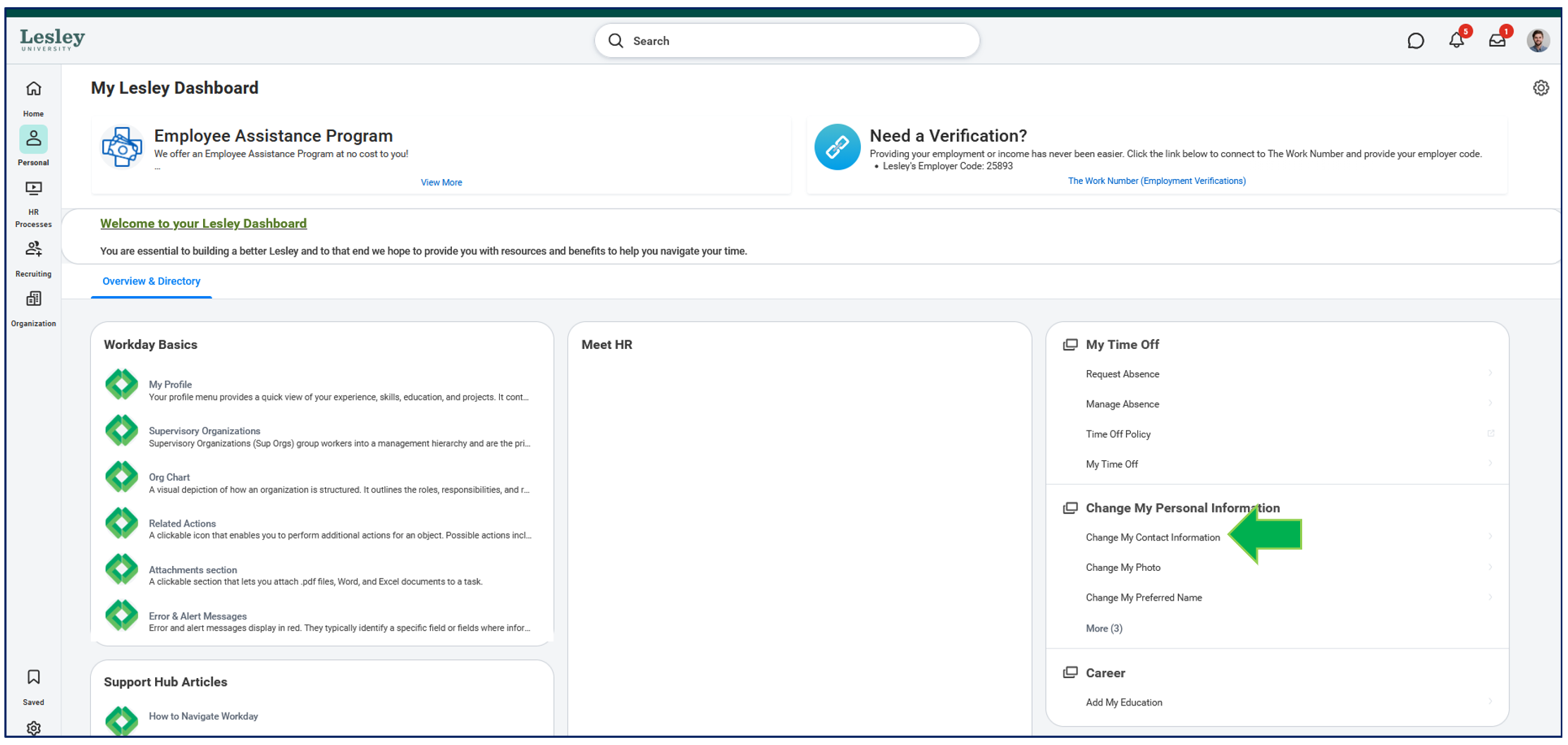
From the My Lesley Dashboard, click the Change My Contact Information action.
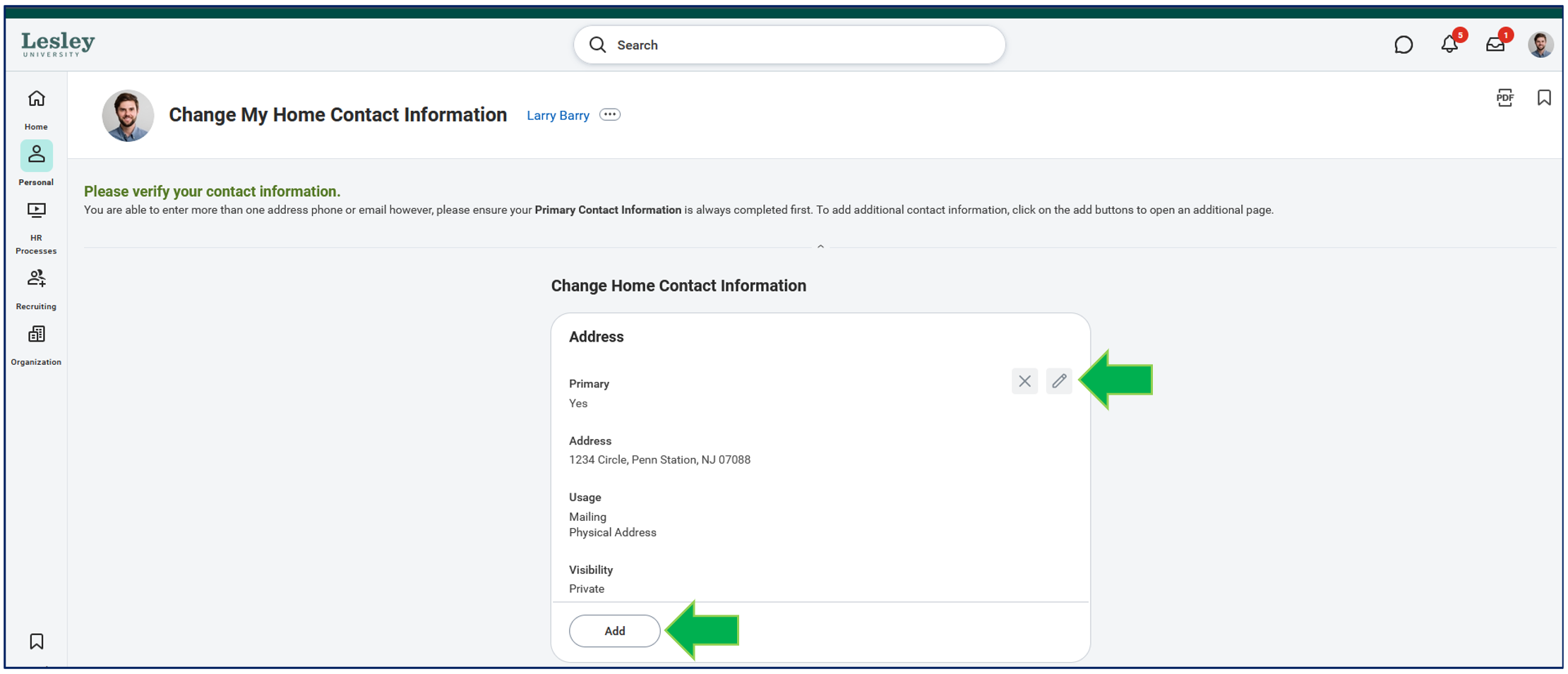
You will be prompted to fill in the details of your contact change. Click on the pencil icon to update/edit various contact information such as address, phone, and email.
If you want to add any additional contact information, click the Add action and complete all applicable fields.