Change Emergency Contacts (Student Employees)
Emergency contact information is required to help facilitate care and notify appropriate individuals in the event of an emergency. Your emergency contact is the first person that healthcare providers or emergency responders will reach out to if you experience a medical or mental health crisis. It is important to designate someone who is familiar with your health history and can access or provide relevant health information when needed.
Change Emergency Contact
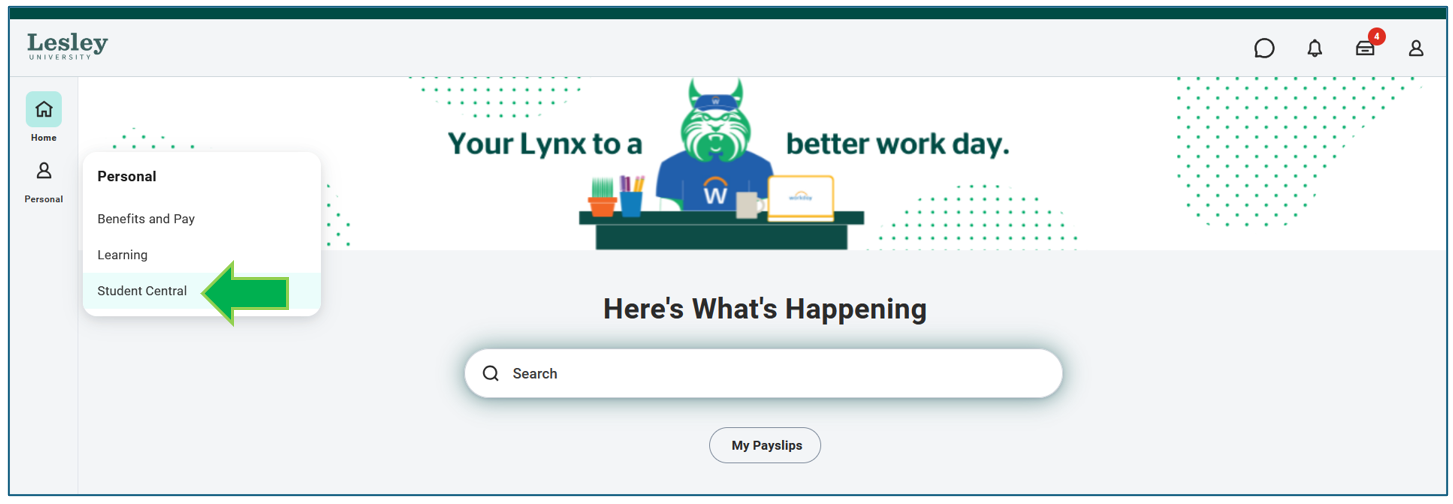
Under the Personal tab, click on the Student Central application on your Workday homepage.
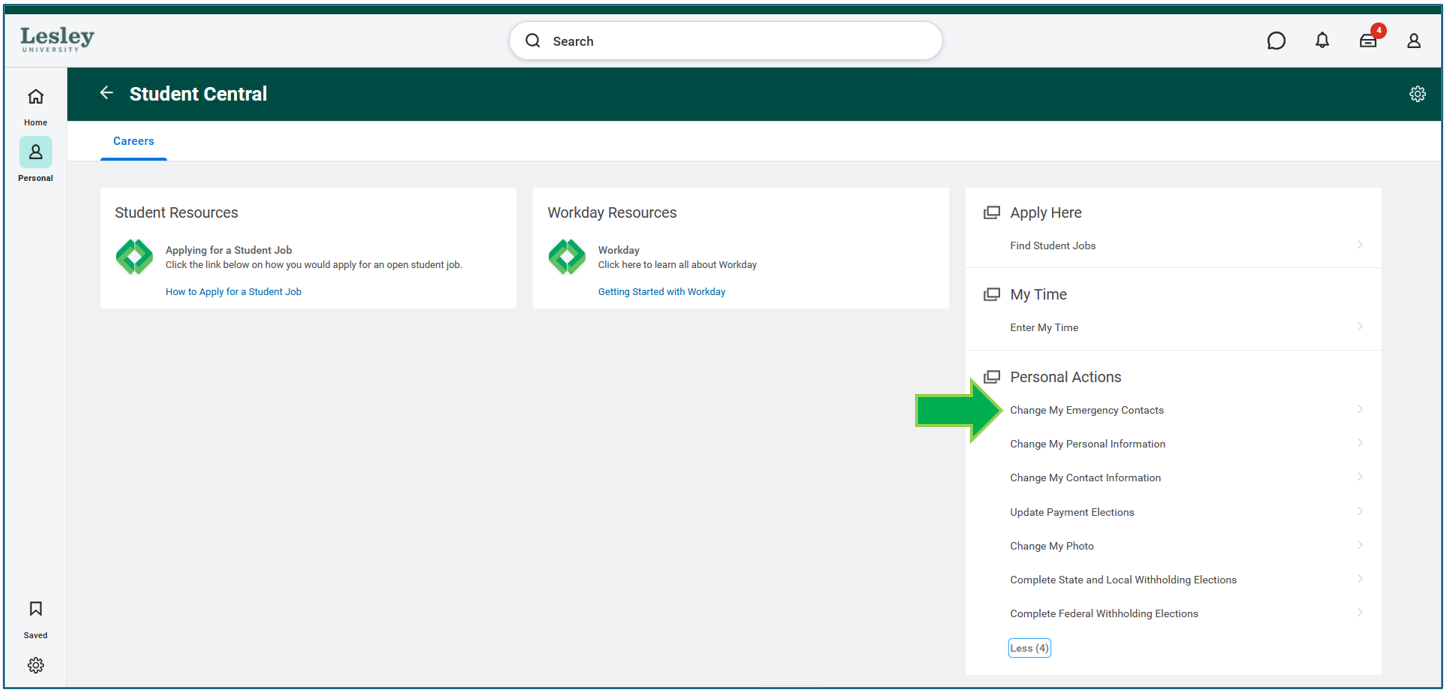
In the Student Central page, you will see actions you can make. Under Personal Actions, select Change My Emergency Contacts.

Complete all the required fields.
- First and Last Name
- Phone Number the person can be reached at
- One email address
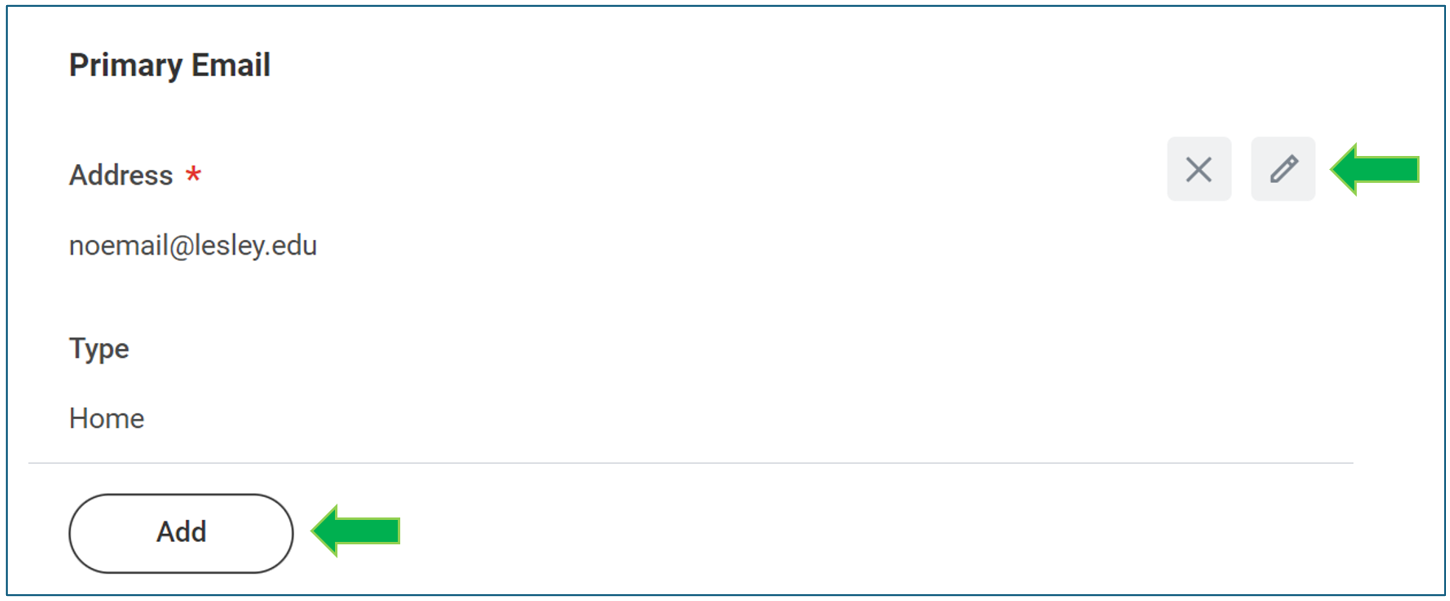
To make changes to an existing record, click the gray pencil icon. If you are adding a new contact, click the Add action to initiate a new field to enter their information.
When you are completed, click Submit to save your changes. If you need more time, click Save and the task will be in your Awaiting Your Action inbox on the homepage to submit later.