You can change your home contact information at any time.
Some home address changes may affect your employee record in the following areas:
- Benefit Vendors
- Taxes
- Paycheck
- Etc..
Change my Contact Information
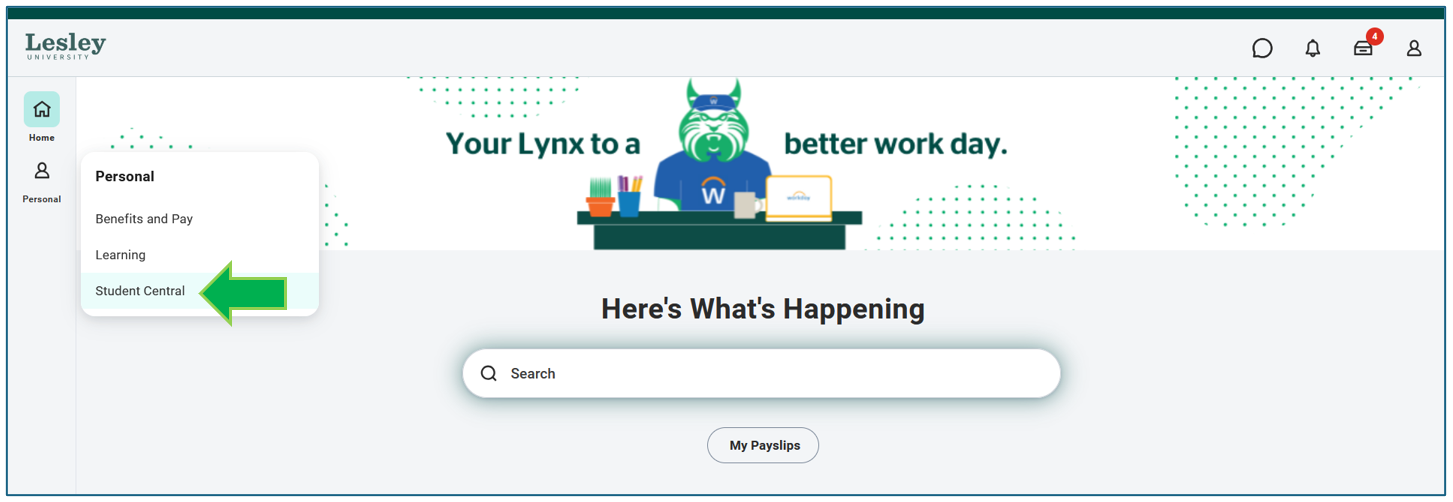
Click on the Student Central on your Workday homepage.
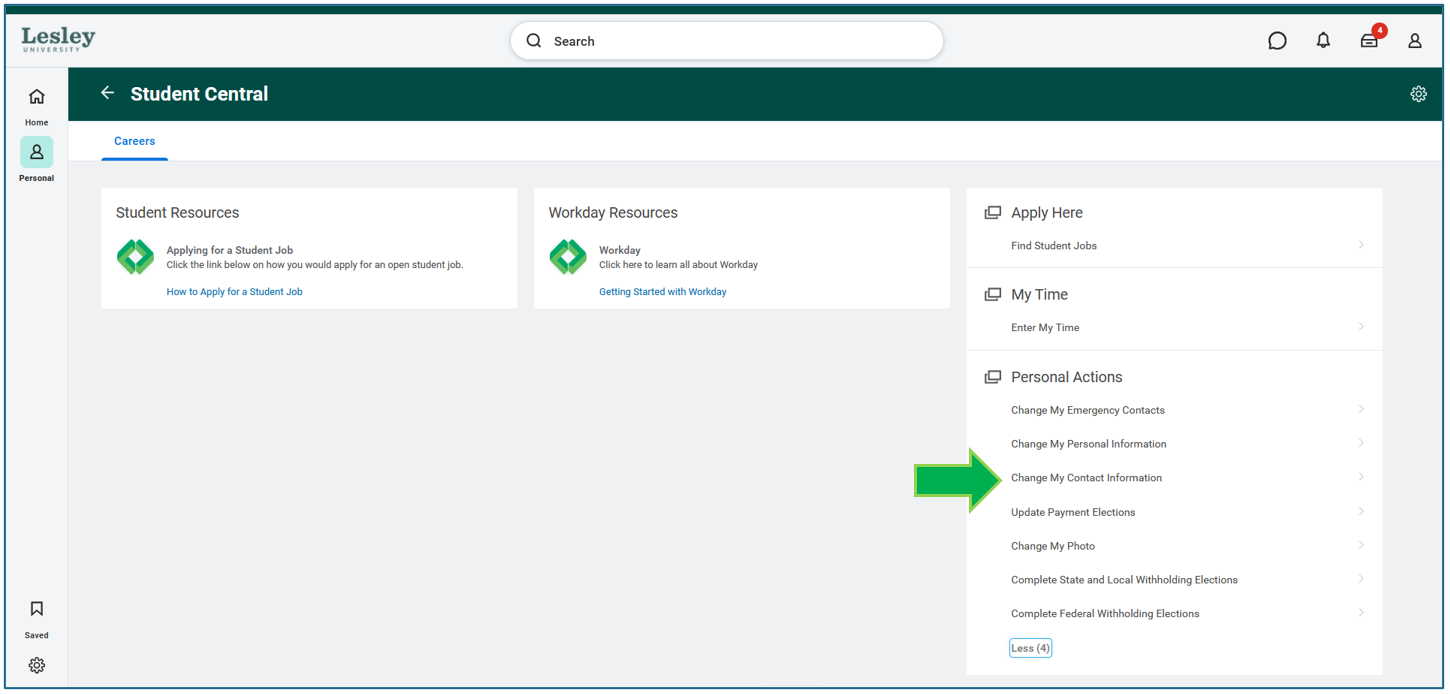
Under Personal Actions click Change My Contact Information.
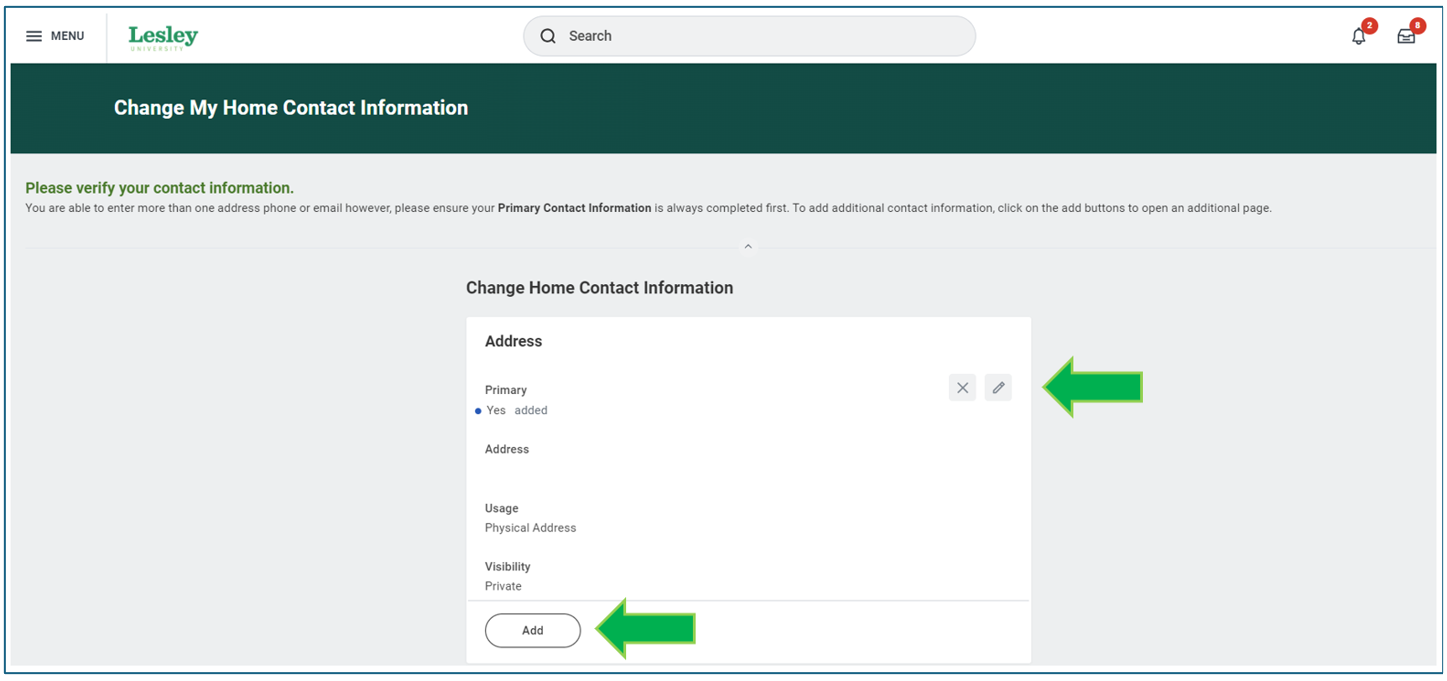
You will be prompted to fill in the details of your contact change. Click on the pencil icon to update/edit various contact information such as address, phone, and email.
If you want to add any additional contact information, click the Add action and complete all applicable fields.


Was this article helpful?
That’s Great!
Thank you for your feedback
Sorry! We couldn't be helpful
Thank you for your feedback
Feedback sent
We appreciate your effort and will try to fix the article