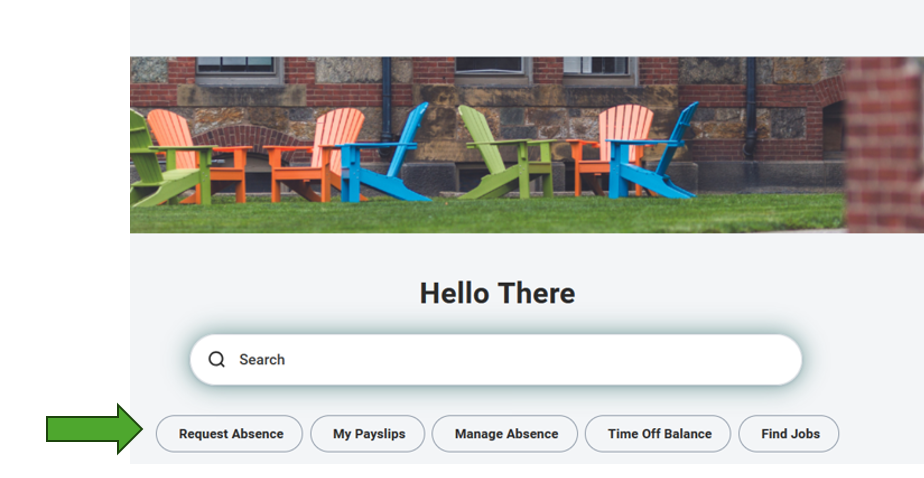
On the Workday homepage, select the Request Absence action underneath the homepage banner.
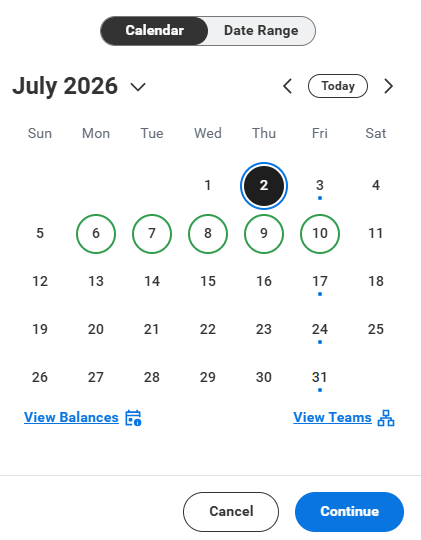
A pop-up calendar will be displayed allowing you to select which day you would like to submit for the President's Holiday. Navigate through the calendar and select the date.
For this example, we will select July 2. Click Continue to proceed. You will do the same action if you wish to take July 6 as the President's Holiday.
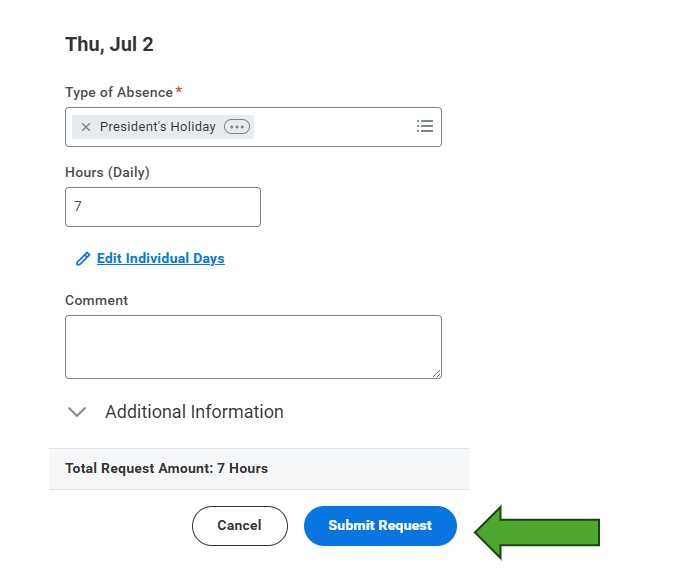
From the Type of Absence drop down, select the President's Holiday category -> President's Holiday.
You will then click Submit Request.
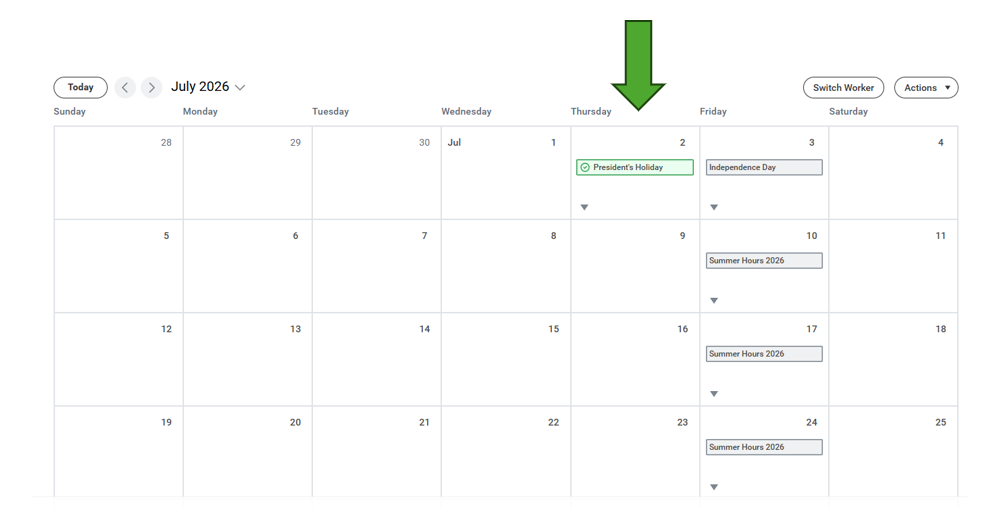
You can always view your request on the Manage Absence calendar in Workday.
If you have already submitted a time off request such as Vacation on a President's Holiday and wish to update the type of absence, please refer to this article on how to correct your time off request: Manage Absence in Workday.
Was this article helpful?
That’s Great!
Thank you for your feedback
Sorry! We couldn't be helpful
Thank you for your feedback
Feedback sent
We appreciate your effort and will try to fix the article