Change My Legal Name
You can change your legal name at any time. Any legal name changes will affect your employee record in the following areas: W4, All Benefit Vendors, Paycheck, etc. You will be required to submit government approved documentation to verify the name change.
Change my Legal Name
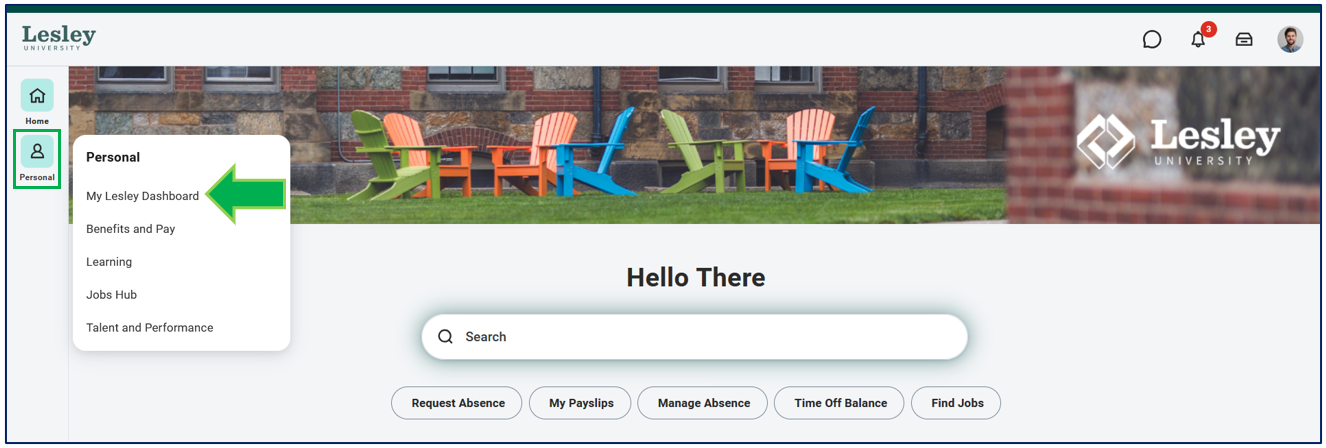
In Workday, click on the My Lesley Dashboard from the Personal category in the navigational panel on the left-hand side of your Workday homepage.
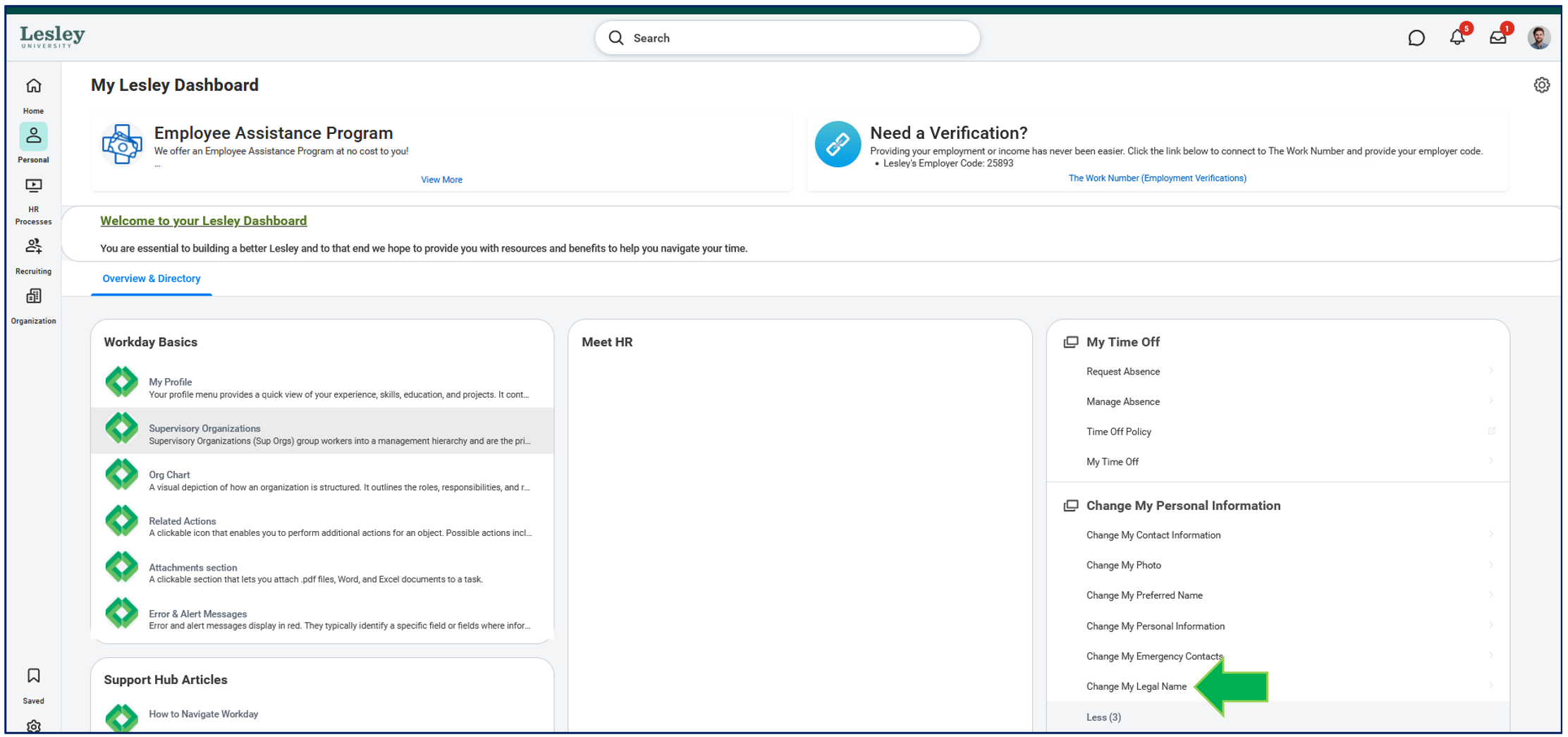
From the My Lesley Dashboard, click the Change My Legal Name action.
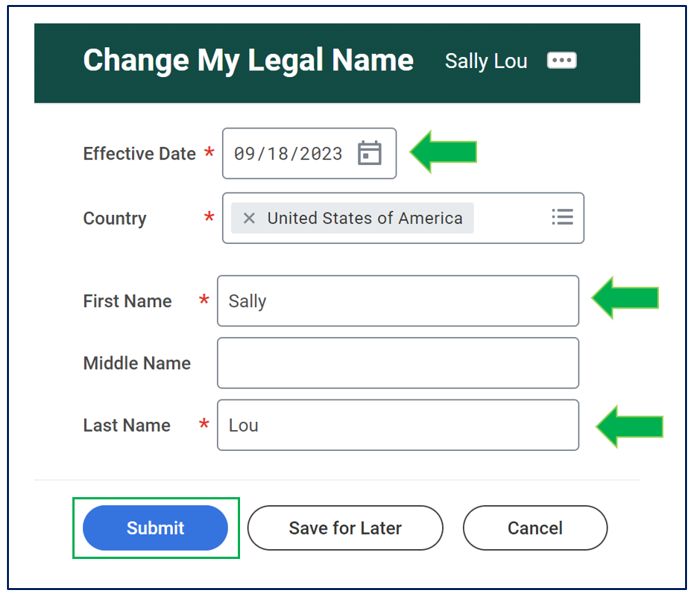
You will be prompted to fill in the details of your legal name change. When completing the task, be sure to fill out.
- The effective date you want this change take into effect.
- First Name
- Last Name

Once you have your name change updated, click Submit.
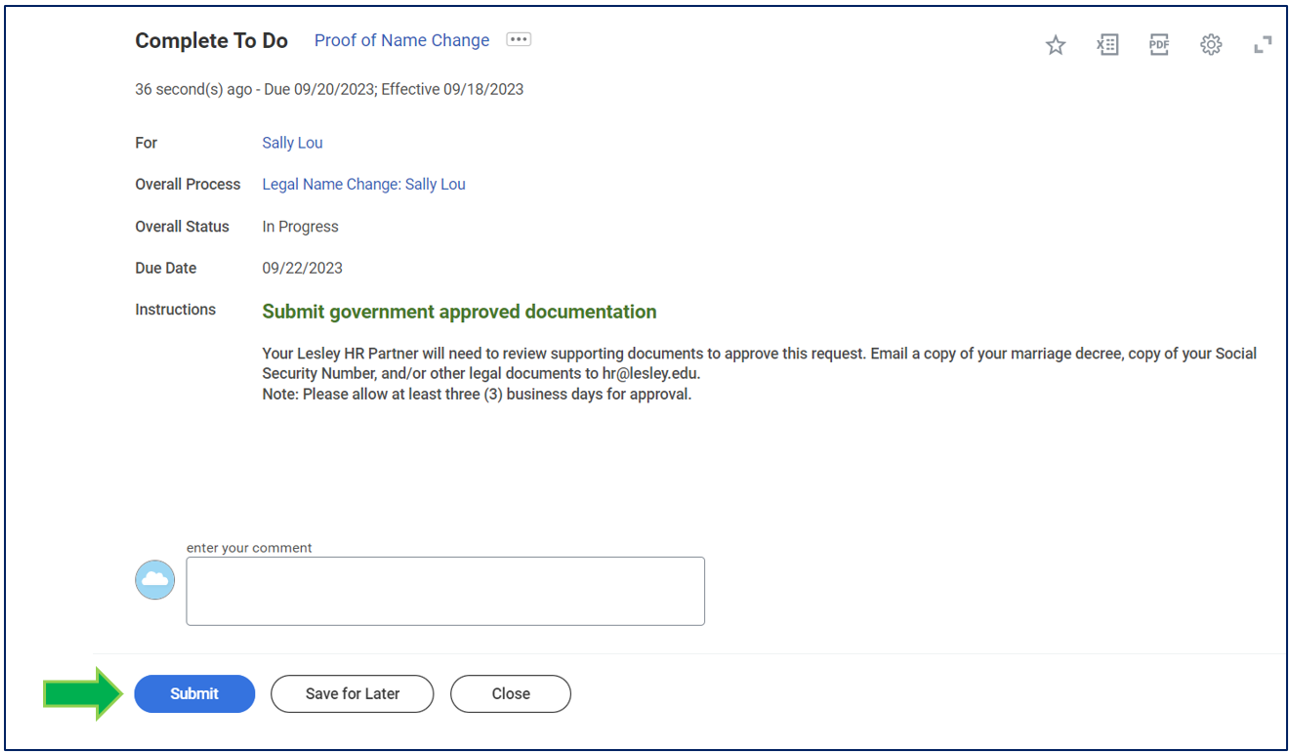
When you submit the change, you will receive a task to provide government approved documentation to verify the name change. You will email this documentation to Human Resources at HR@lesley.edu.