Navigating the Recruiting Module as a Hiring Manager
Accessing the Job Requisition Workspace
On your Workday home screen, locate and select Recruiting from your side bar. Under Recruiting, please select Job Requisition Workspace.
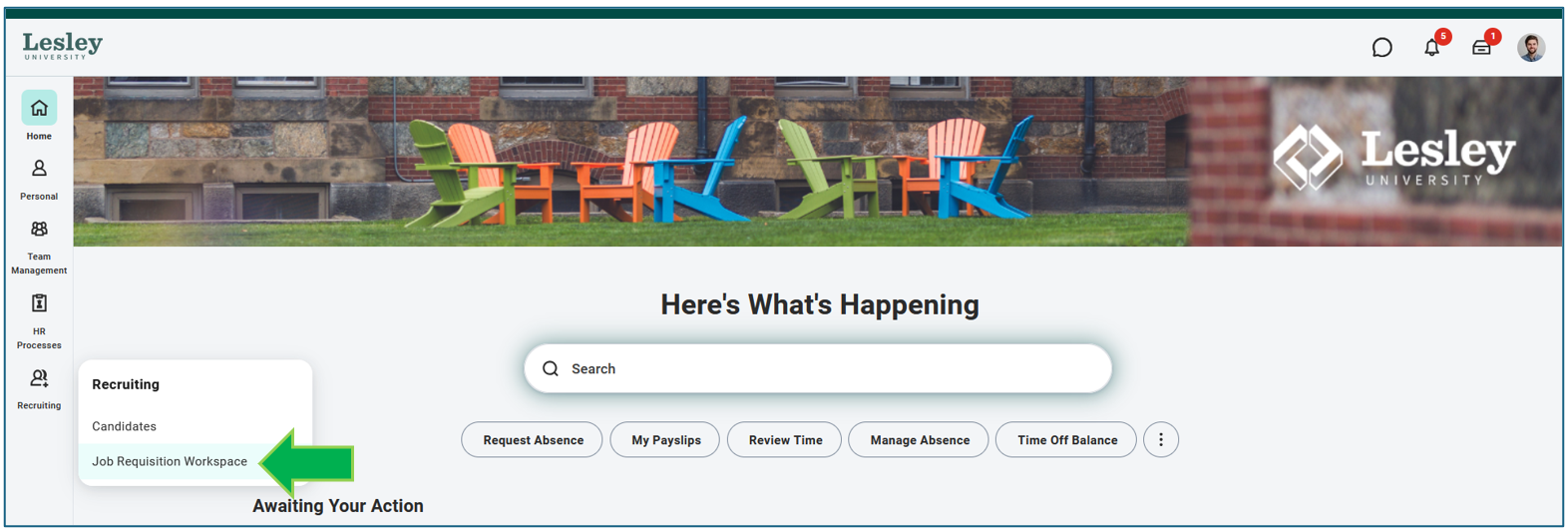
Once in the Job Requisition Workspace, you will see all active requisitions for which you are listed as the Hiring Manager.
Please note: If you are a department head or team leader, you may also see open job requisitions where your direct report(s) is listed as the Hiring Managers.
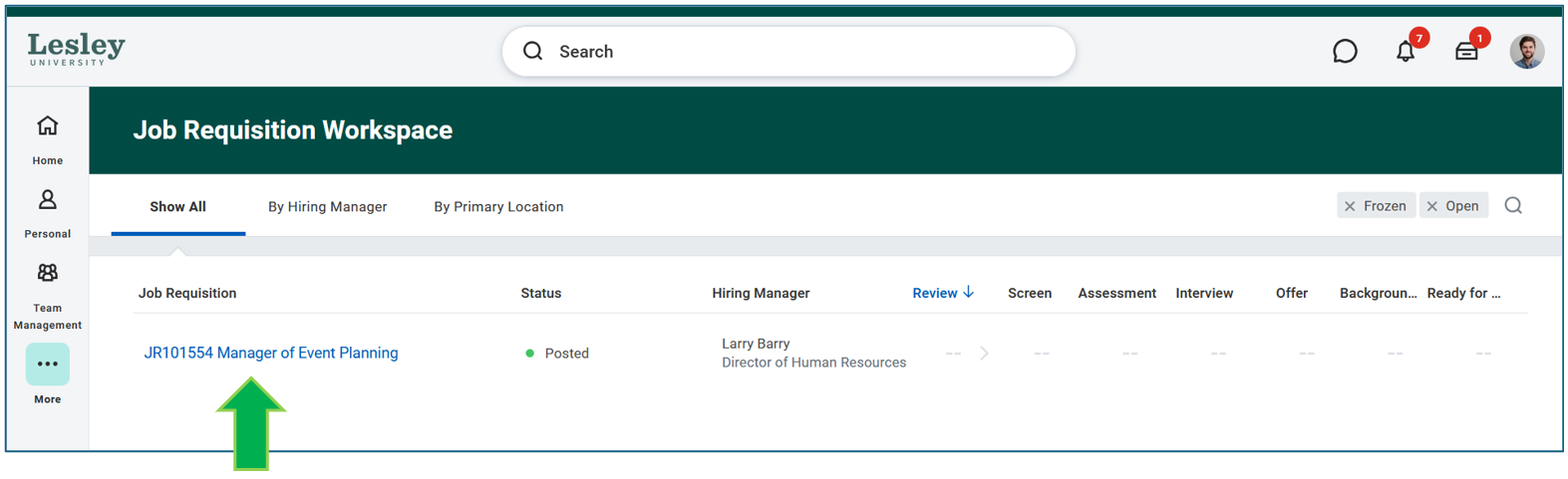
To view the job requisition, please select the hyperlink of the job title. Then, select View More Details.
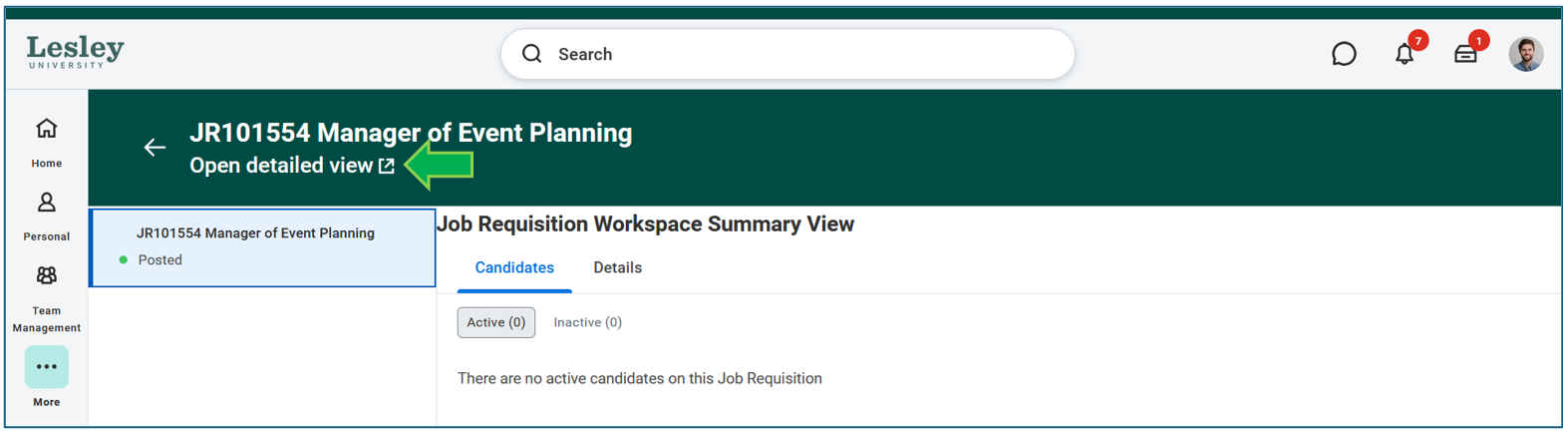
Review Candidates
Head to the Candidates tab to review the list of candidates who have applied for the role.
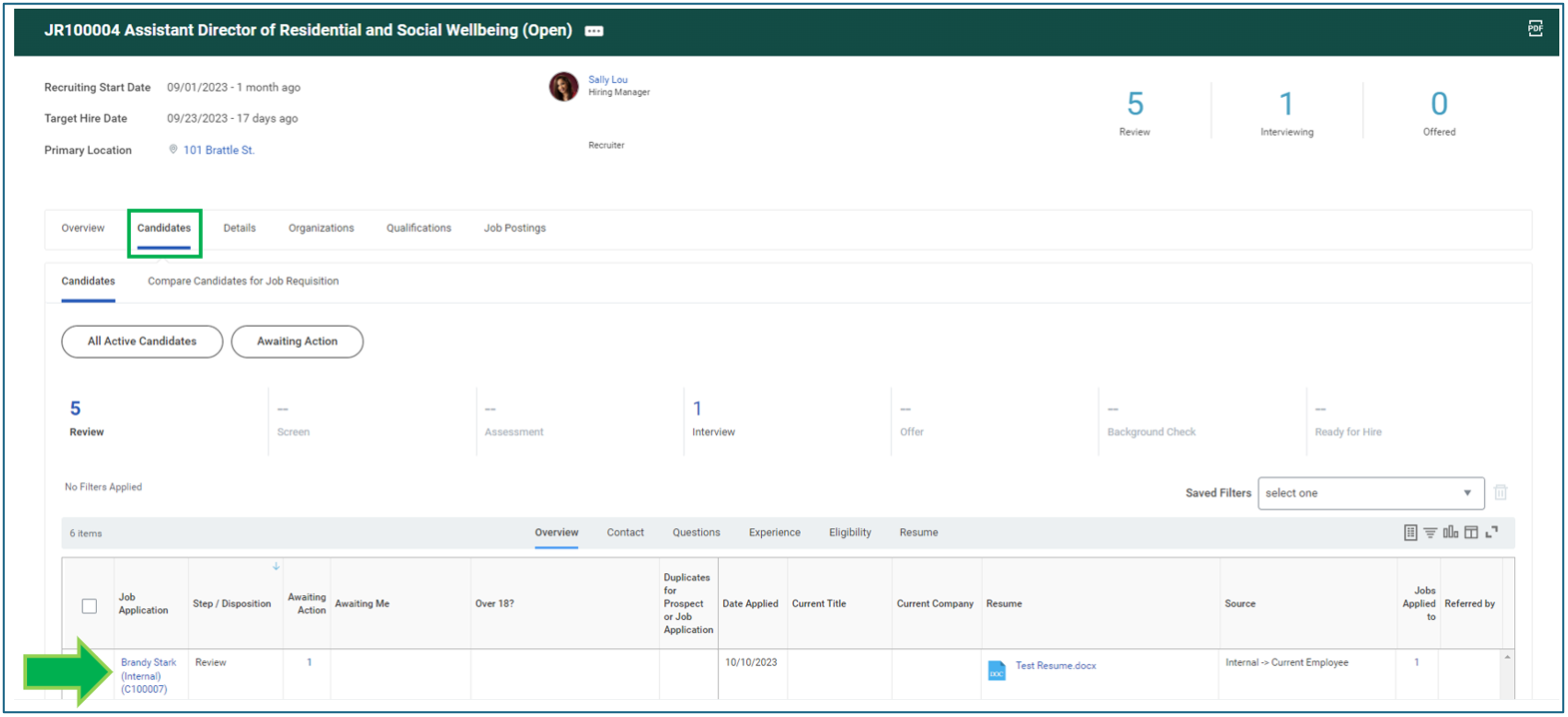
Candidate Grid View
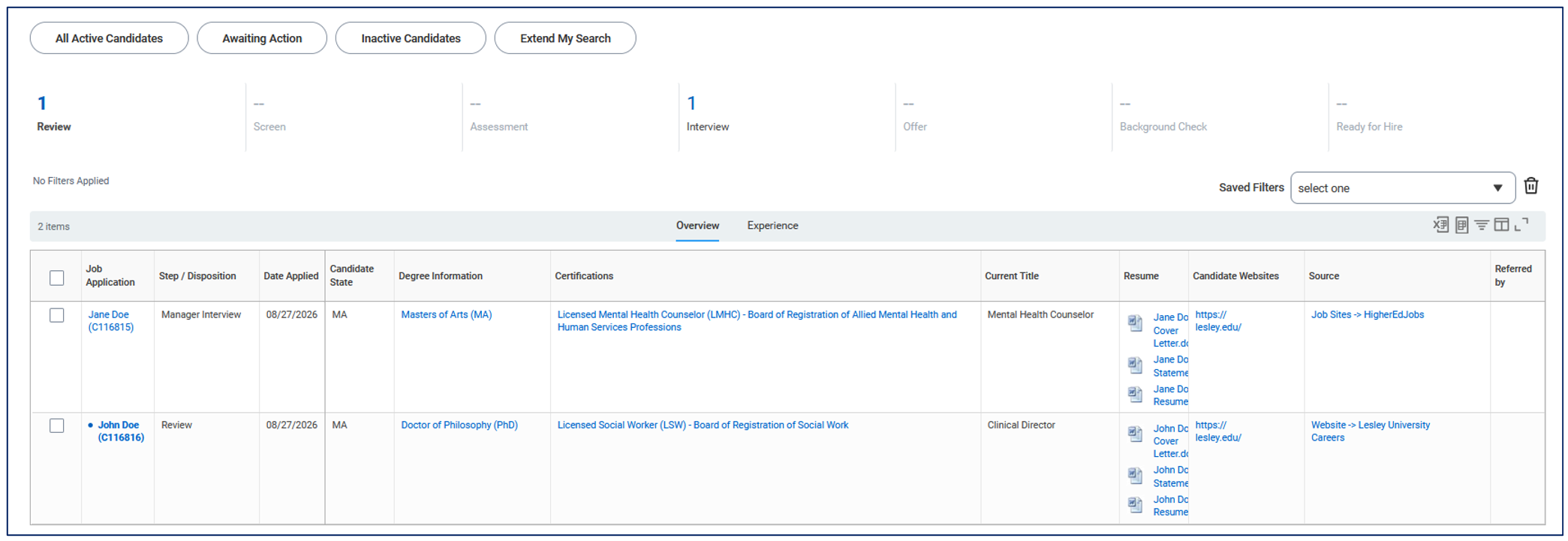
From the candidate grid view, you can quickly and easily review all candidates in the applicant pool. In this view, you can see where candidates are in the interview process, across all the stages of a search. These stages include Review, Screen, Interview, Assessment, Offer, Background Check, and Ready for Hire.
From the candidate grid, you can also quickly identify the following information for each individual candidate:
- Home state location
- Degree information
- Licenses & certifications
- Current title
- Personal website
In addition, you can access each candidate’s resume, cover letter, DEI Statement, and any additional documents attached as well.
Candidate Profile
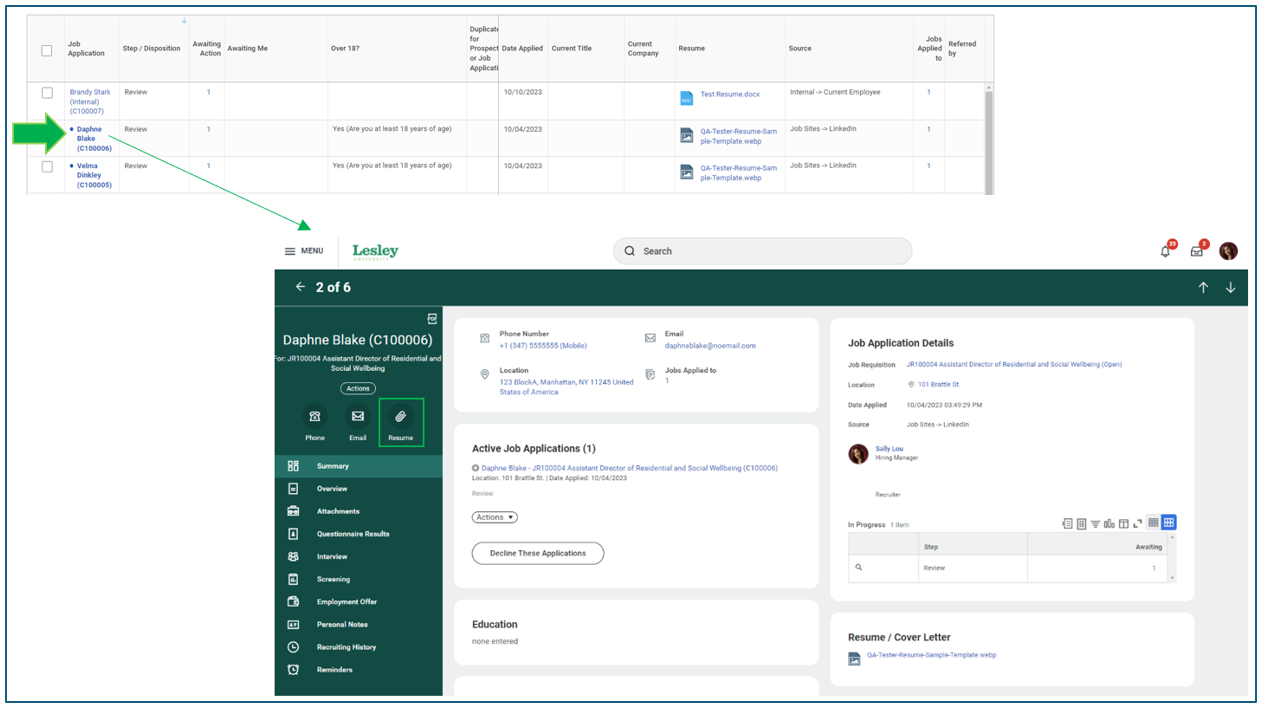
Clicking on each candidate's profile gives more detailed access to their resume, application information, and any attached documents. Click the paperclip icon above Resume to view their application documents.
Evaluate Interviews
The Hiring Manager and Talent Acquisition team will partner throughout the recruitment process to identify potential candidates. The Talent Acquisition team will conduct the initial screening interviews. Qualified candidates will advance to interviews with the Hiring Manager and Search Committee. After interviews, the Hiring Manager will assess each candidate’s performance and provide feedback to the Talent Acquisition team.
For more information about the recruitment process and hiring steps, please contact Human Resources at: HR@lesley.edu.