Submitting a Resignation
This job aid provides managers with step-by-step instructions for submitting an employee's resignation.
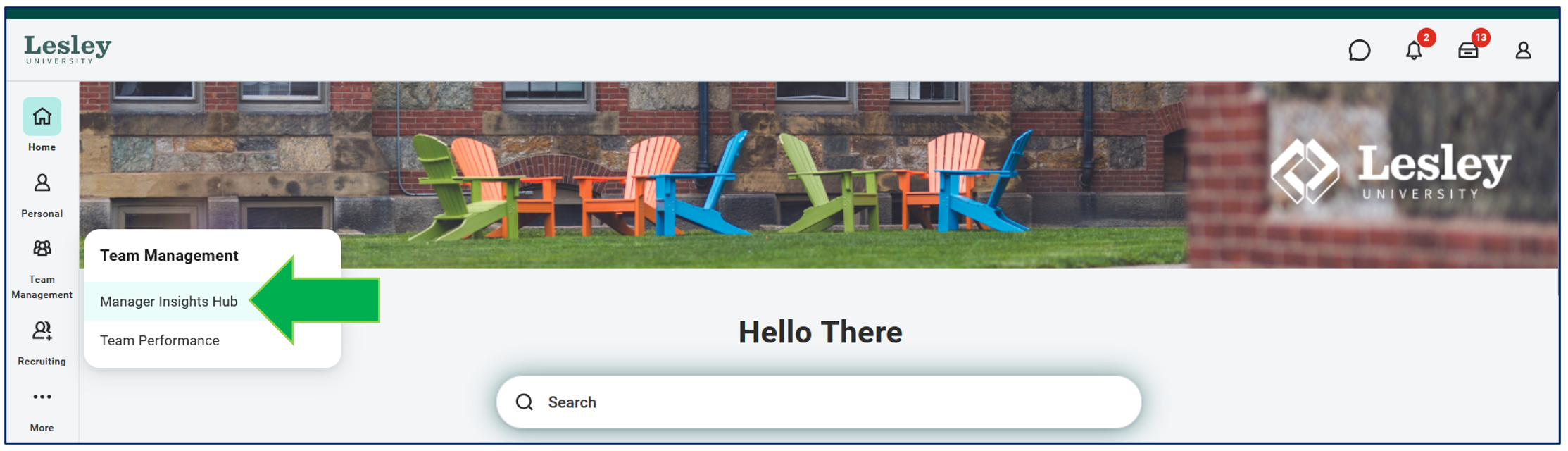
Navigate to the Managers Insight Hub within the Team Management application.
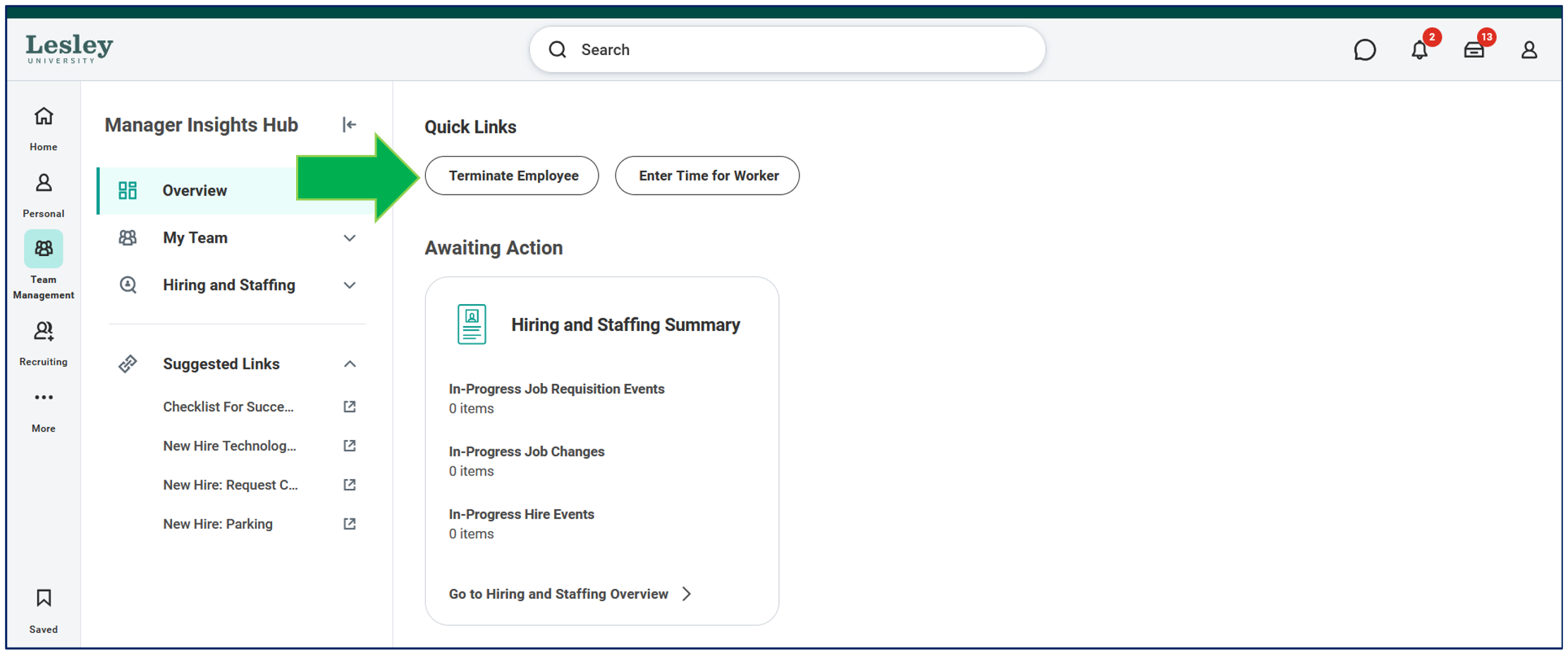
Click Terminate Employee under Quick Links.
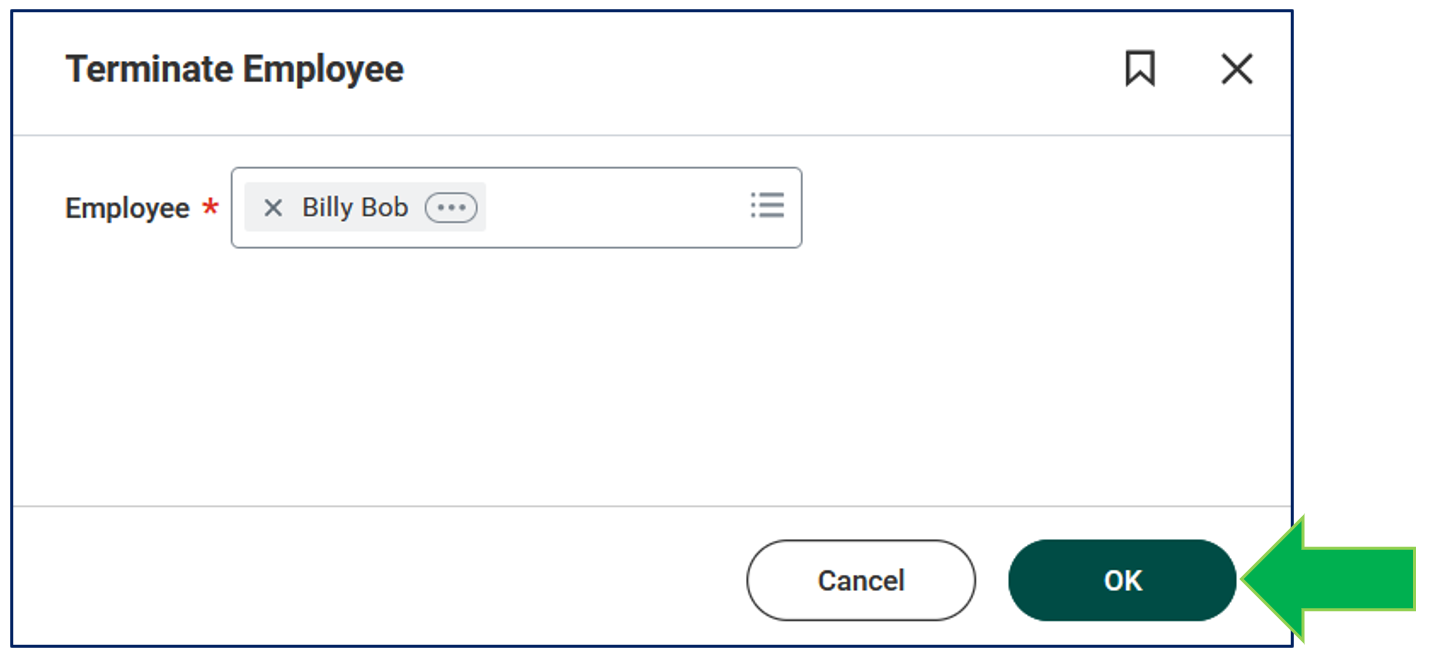
A pop-up window will be displayed. Type the name of the employee you would want to complete the termination process for. Click OK to continue.
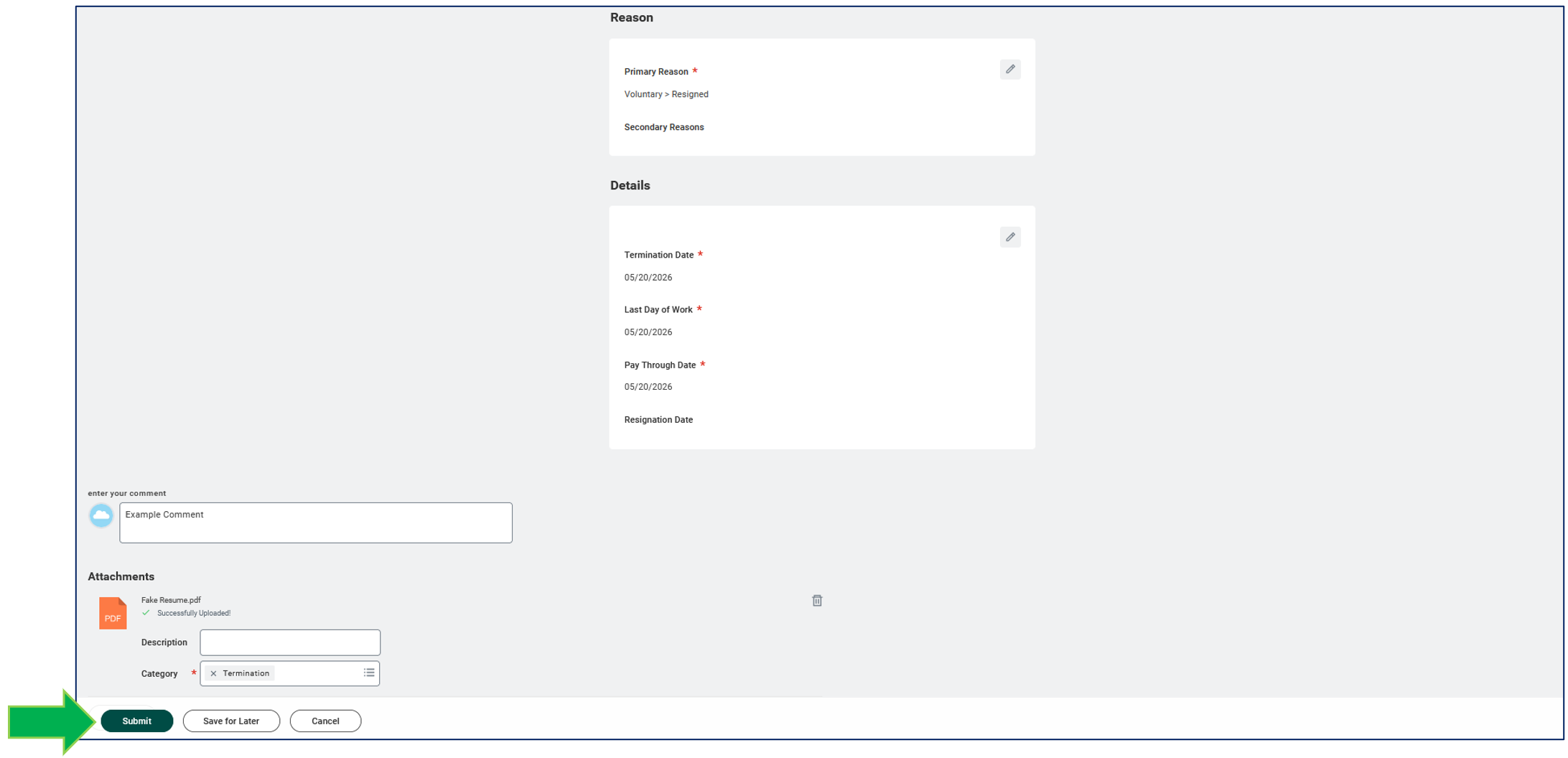
Please fill out the details. Note any field with a red asterisk is required.
- Primary Reason - Select from the drop down.
- Termination Date - Last date of employment for the employee.
- Last Day of Work - Defaults to the termination date but can be changed.
- Pay Through Date - Defaults to the termination date but can be changed.
- Attachments - An attachments of the employee's resignation letter is required. Under category select Termination.
Enter comments if needed. Once everything if filled out, click Submit.
Note: After you submit the termination/resignation request, it will be routed to Human Resources for review. A member of the HR team will reach out to the employee to request an exit interview, if applicable, and to discuss benefits information.