Complete Your Onboarding Tasks (Student Employees)
As a newly hired Student Employee, you will receive onboarding tasks in your Awaiting Your Action inbox on your Workday homepage. Completing these tasks is an important part of your onboarding experience.
When you login to Workday, you will first find two tasks in your inbox.
- Enter Personal Information: You will complete this task by entering personal information such as DOB, Gender, and Ethnicity. Some of this information may have already been pulled from your student profile. Please check to make sure the information is correct and anything missing with a red asterisk must be completed.
- Validate Contact Information: This task will confirm your contact information such as address, phone number, and email. Again, most of this information would have been pulled from your Student profile. When you review the task, please make sure your contact information is correct.
Once you have validated/updated your information, please make sure to click Submit to complete the task.

NOTE: You must complete these first two tasks before the rest of your onboarding tasks drop in your inbox including your Form I-9 which must be completed before your appointment with Human Resources on your first day.
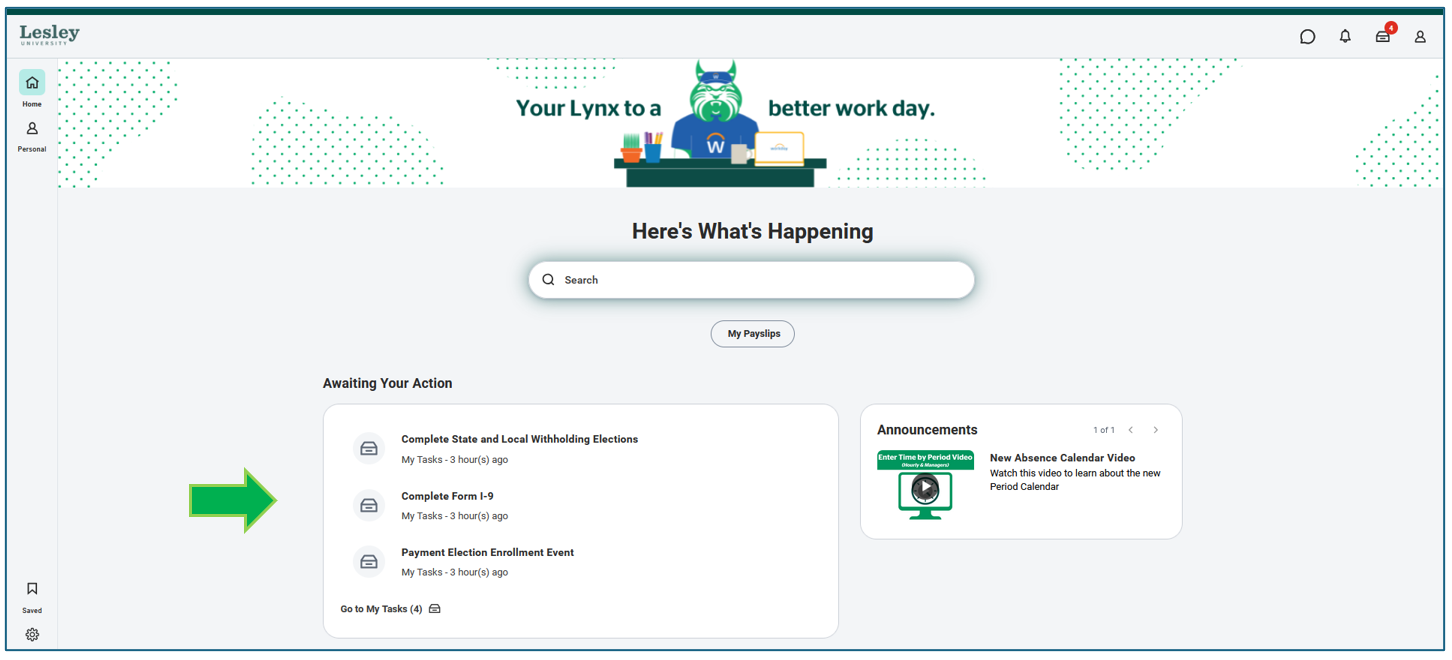
Once you have completed these tasks, the remaining onboard tasks will drop. You will receive tasks such as your Complete Form I-9, Tax and Pay information, and others. Please be sure to complete each task in a timely manner so Workday can have your up-to-date information and can process transactions such as pay appropriately based on your selections.
Be sure to click the blue action on the bottom of the screen. Either OK or Submit to complete the task and save your changes.

Once you have submitted all of your onboarding tasks, your inbox will be empty. An empty inbox indicates that all onboarding requirements have been completed. If you need assistance with other Workday tasks or processes, please refer to the student employee articles available in the Support Hub. You can be directed to the page by clicking here.