Adjunct Faculty Professional Development Fund Reimbursement Requests
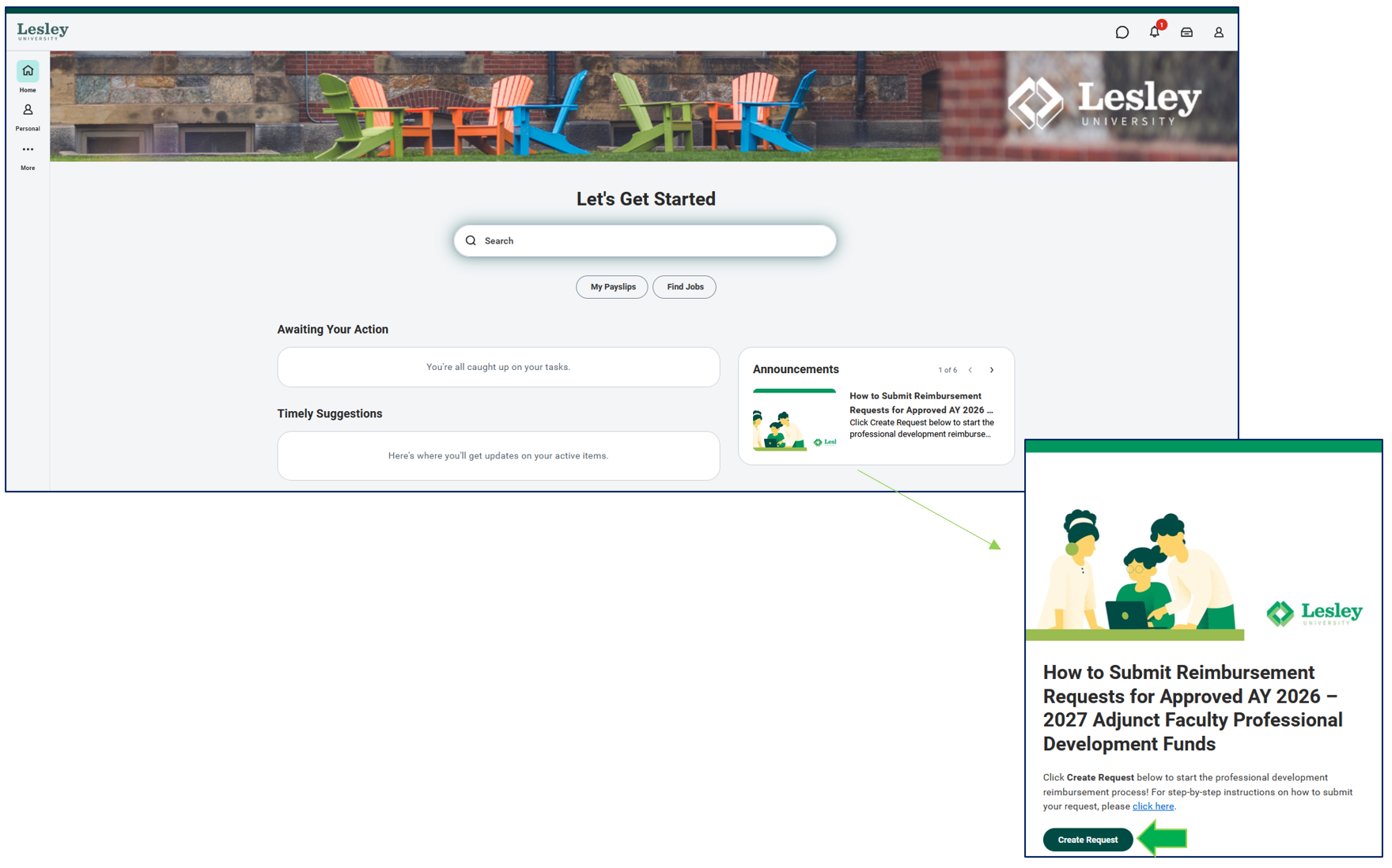
To request reimbursement from your approved professional development funds, login to Workday and submit a request via the announcement section of your homepage. Click Create Request to begin the process.
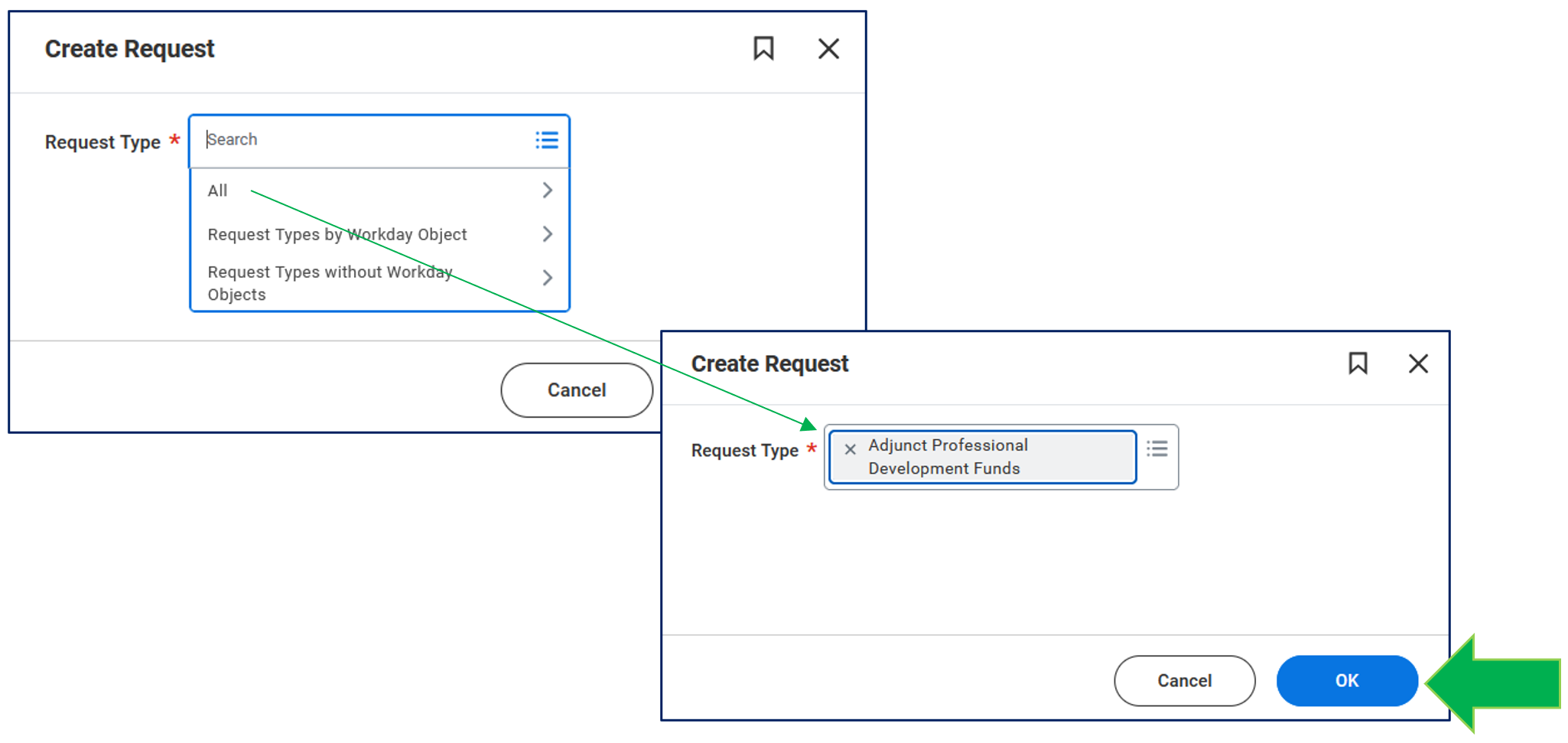
You will be directed to a drop-down screen. To select a form, click on the drop-down All -> Adjunct Professional Development Funds. Once you have selected the form, click OK.
Complete a series of questions. Provide a brief explanation of how the reimbursement request relates to your approved professional development request.
For each of the reimbursement types listed below, you must:
- Provide the total amount requested per reimbursement type.
- If you did not incur an expense for a specific reimbursement type, please type $0.
- Upload receipts that substantiate the specific amounts as well as add up to the correct total amount.
Important Notes:
- Complete and accurate information is required to submit a request. If a request is incomplete, it will be returned for a complete response.
- Workday will be the primary way to communicate any request.
- Questions on submitting a new or current requests can be made by emailing adjunctpd@lesley.edu.
Required Information:
- Description of Reimbursement: Provide a detailed description of the request and how it relates to your professional development.
- Expense Line Items: Select all the expenses lines that correspond to your request.
- Receipts: Upload all relevant receipts or documentation relating to this request.
Once you submit the form, it will automatically route for review. Please note all information on the request form is required and must be filled out.
If the reimbursement request is approved, you will receive a notification from Human Resources. By following these guidelines, we can help ensure a smooth and efficient approval process.
If you have any questions, please email adjunctpd@lesley.edu.