TABLE OF CONTENTS
Student Orientation Videos
These videos will walk you through the basics of using myLesley.
myLesley Overview and Main Navigation
The myLesley Student Orientation: Overview and Main Navigation video will introduce you to myLesley/Blackboard and walk you through the main navigation features.
Participating in a Course
The myLesley Student Orientation: Participating in a Course video will walk you through myLesley courses, including navigating within a course, accessing course content, submitting assignments and activities, progress tracking, and viewing grades and feedback.
Self-Paced Course: myLesley Student Orientation
The myLesley Student Orientation Self-Paced Course has been designed to prepare you to successfully use myLesley/Blackboard for your coursework. You may be new to online learning, new to Blackboard Ultra, or both. In this course, we will cover the basics of so that you know what it is, how to navigate it, how to use it to complete your course work, and how it will benefit you.
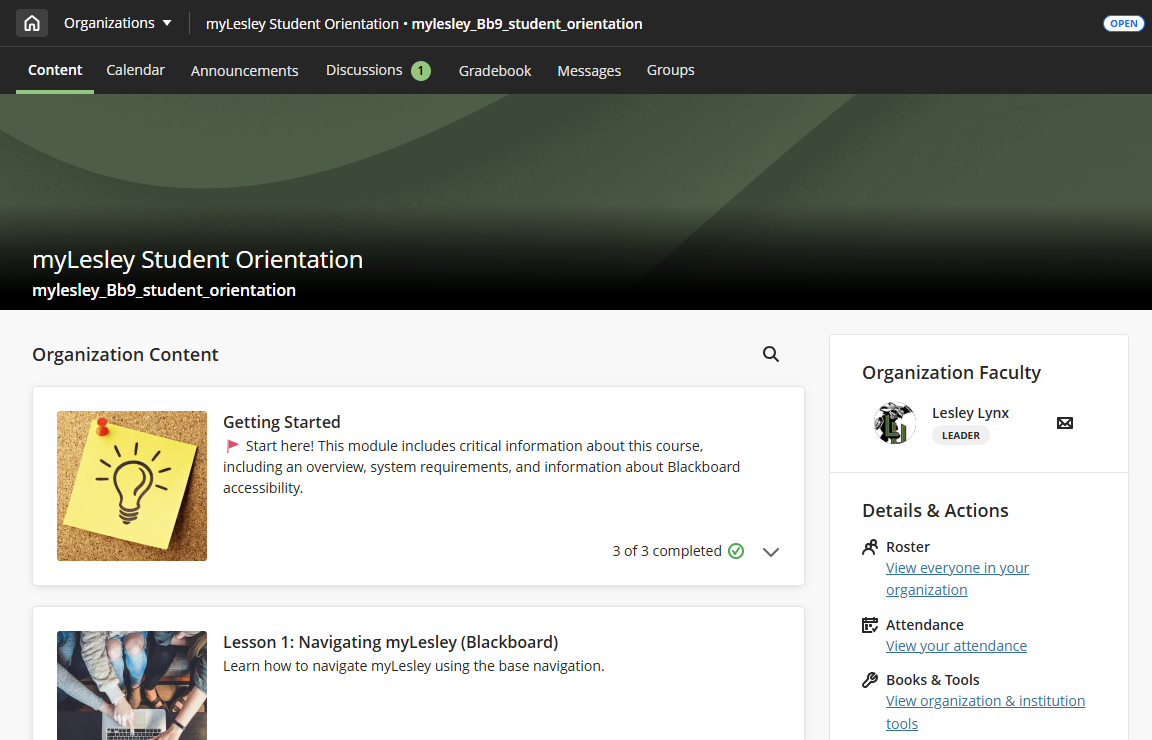
You may access this course at any time from the Organizations link in the main navigation. This course will take approximately 1-2 hours to complete and you may go back to it at any time.
Help and Support Resources
myLesley/Blackboard Support Articles
- myLesley Student Quick Start Guide: This guide will walk you through the basics of using myLesley/Blackboard.
- Browse the Support Hub: Documentation and resources for myLesley/Blackboard, Kaltura Media, Zoom, and more may be found on the Support Hub.
Troubleshooting Tips
Running into issues? Try these tips before reaching out for support.
- Make sure your system is compatible.
- Use the Blackboard Browser Checker to confirm that your operating system, browser, cookies, and pop-up blocker will all work with the system.
- Go to the Lesley System Requirements page to make sure your system can handle any additional requirements.
- Clear your cache and restart your device.
- Clear your browser's cache and restart your device to remove outdated or corrupted content.
- Even though it sounds cliché, clearing the cache and restarting really can fix a lot of common issues.
- Try a different browser.
Create a Support Ticket
Not finding what you're looking for? Having trouble or need assistance? Submit a ticket on the Support Hub or reach out to us via email at elis@lesley.edu.
When reaching out for support, please provide your Lesley username, your course (if applicable), and describe the problem to the best of your ability. If possible, include a screenshot. This information will help the support staff resolve your issue as quickly as possible.
Was this article helpful?
That’s Great!
Thank you for your feedback
Sorry! We couldn't be helpful
Thank you for your feedback
Feedback sent
We appreciate your effort and will try to fix the article