Personal Information Hub
Employees are able to make changes to their date of birth, gender, ethnicity, and pronoun. Use this guide to help you add or change your personal information.
Accessing Personal Information
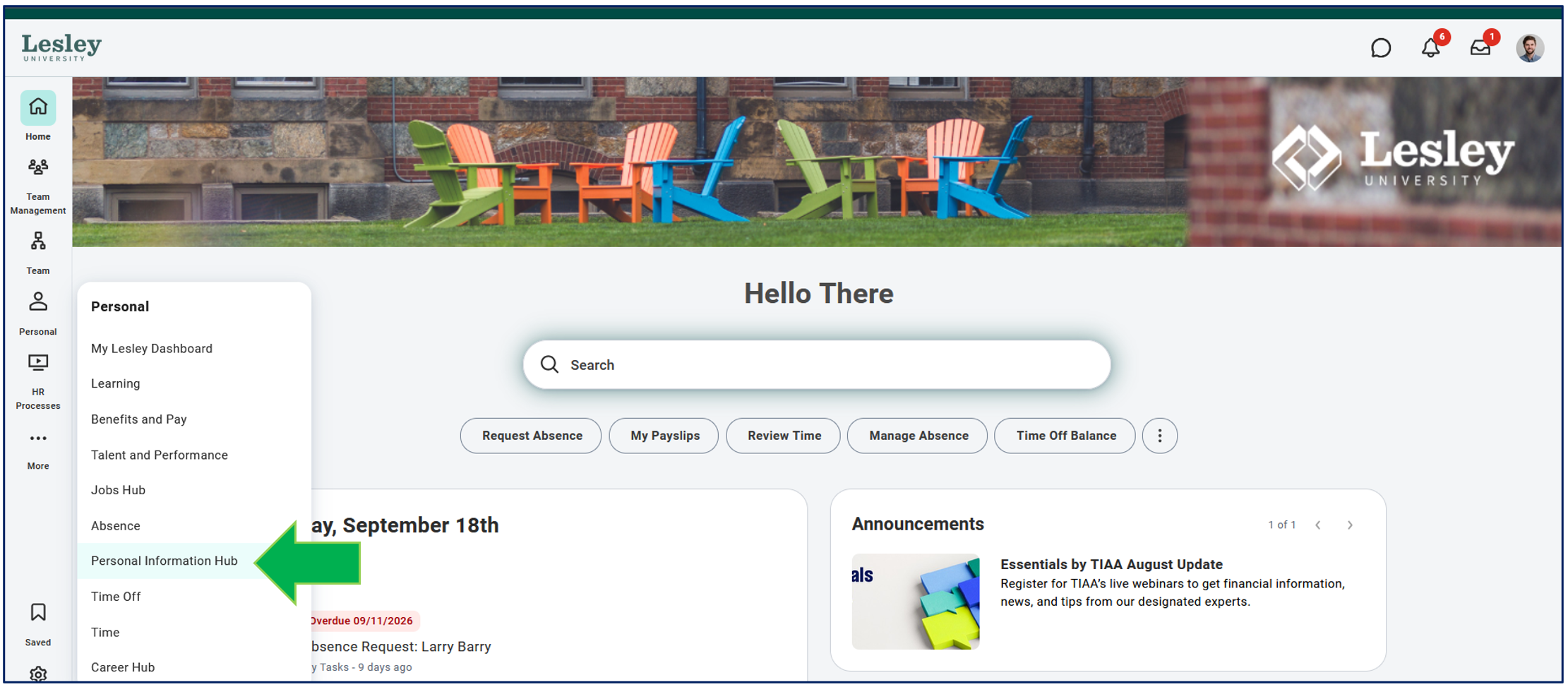
Click the Personal Information Hub application from the Personal category on the navigation panel on the left-hand side on your Workday homepage.
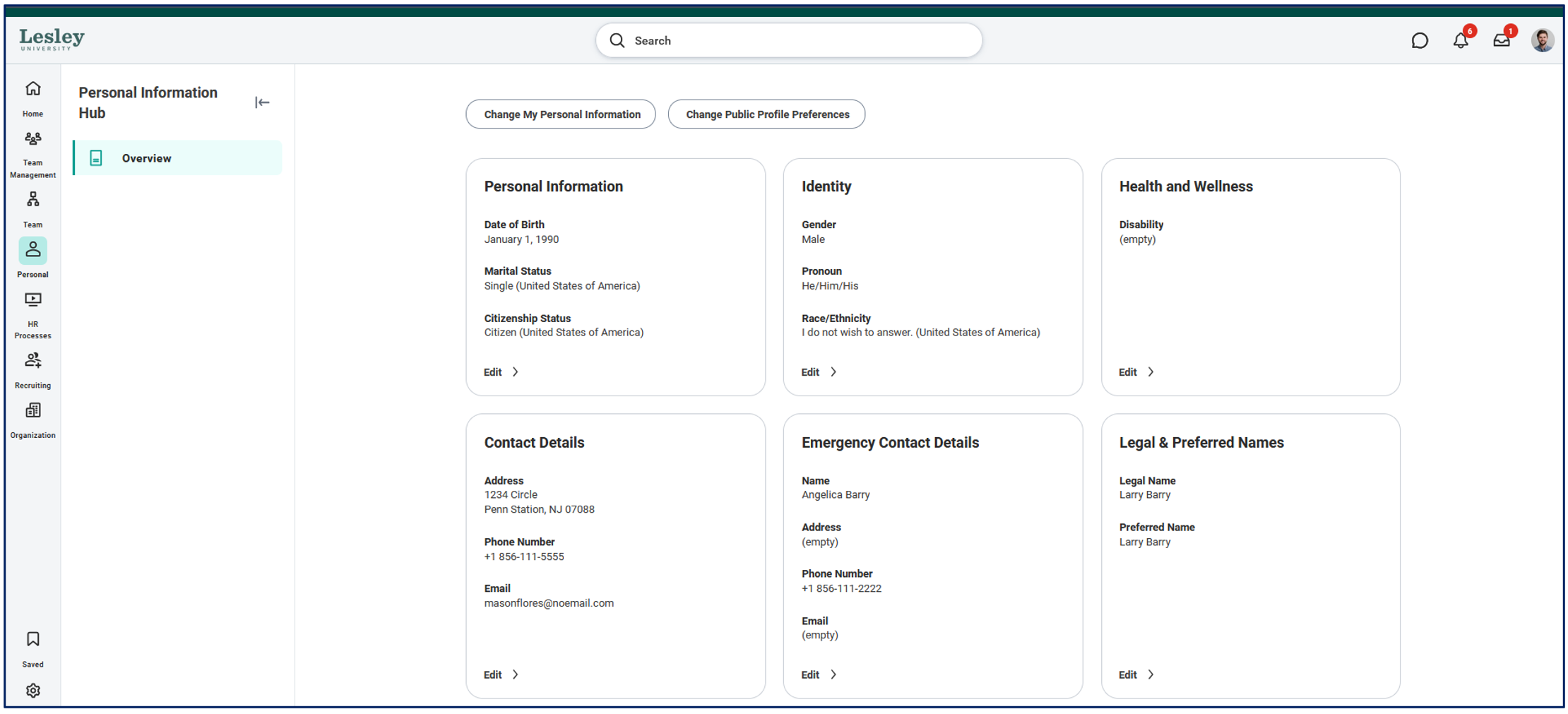
You will see an overview of your personal information where you can verify if the information is up-to-date and make any changes as needed. Workday breaks up your personal information into separate sections.
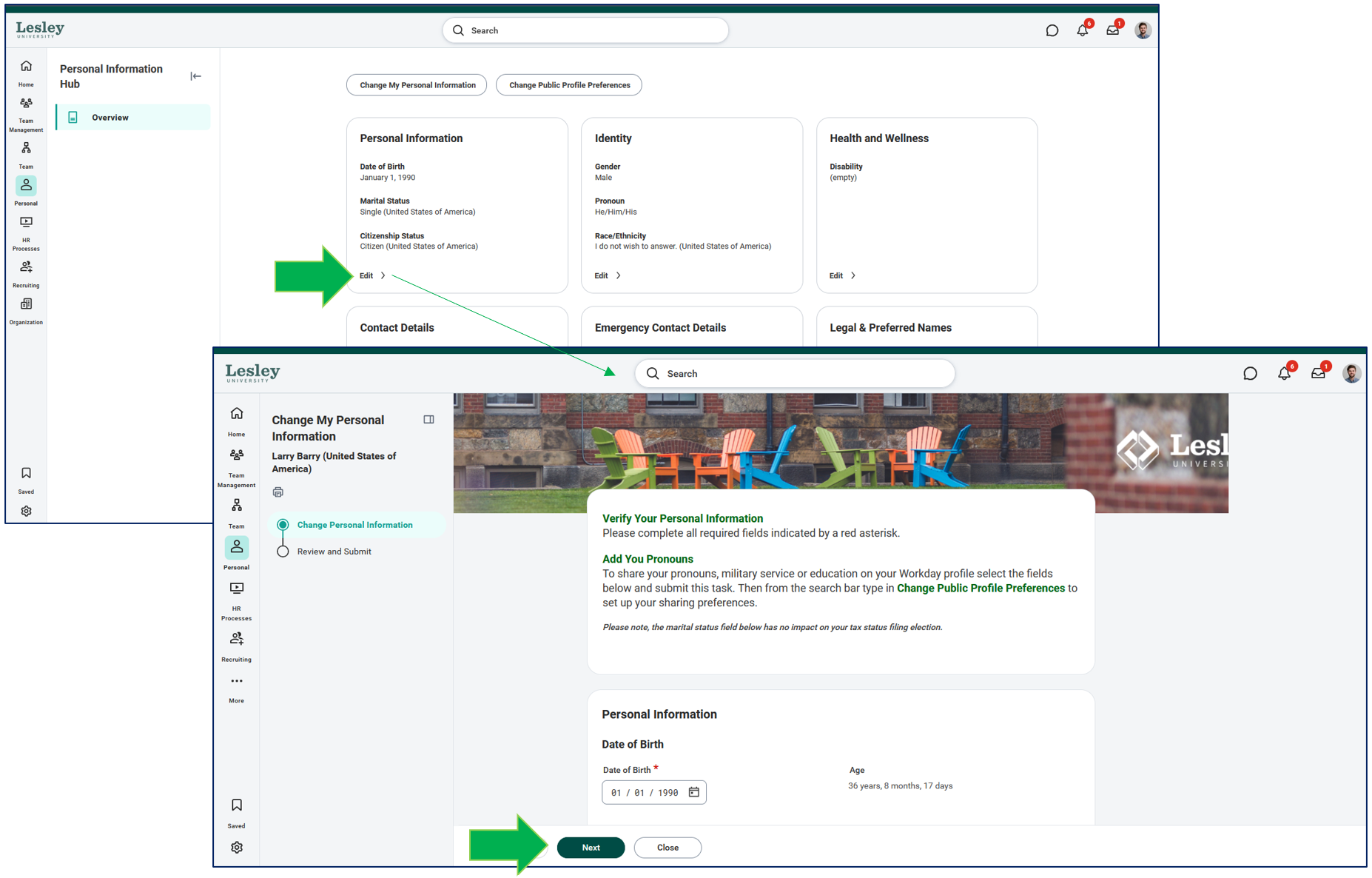
If you need to make any changes to your personal information, click Edit under the section you would like to make changes. You will be directed to a new page where you can make the edits needed. Once completed, click Next to review and Submit to save the changes.
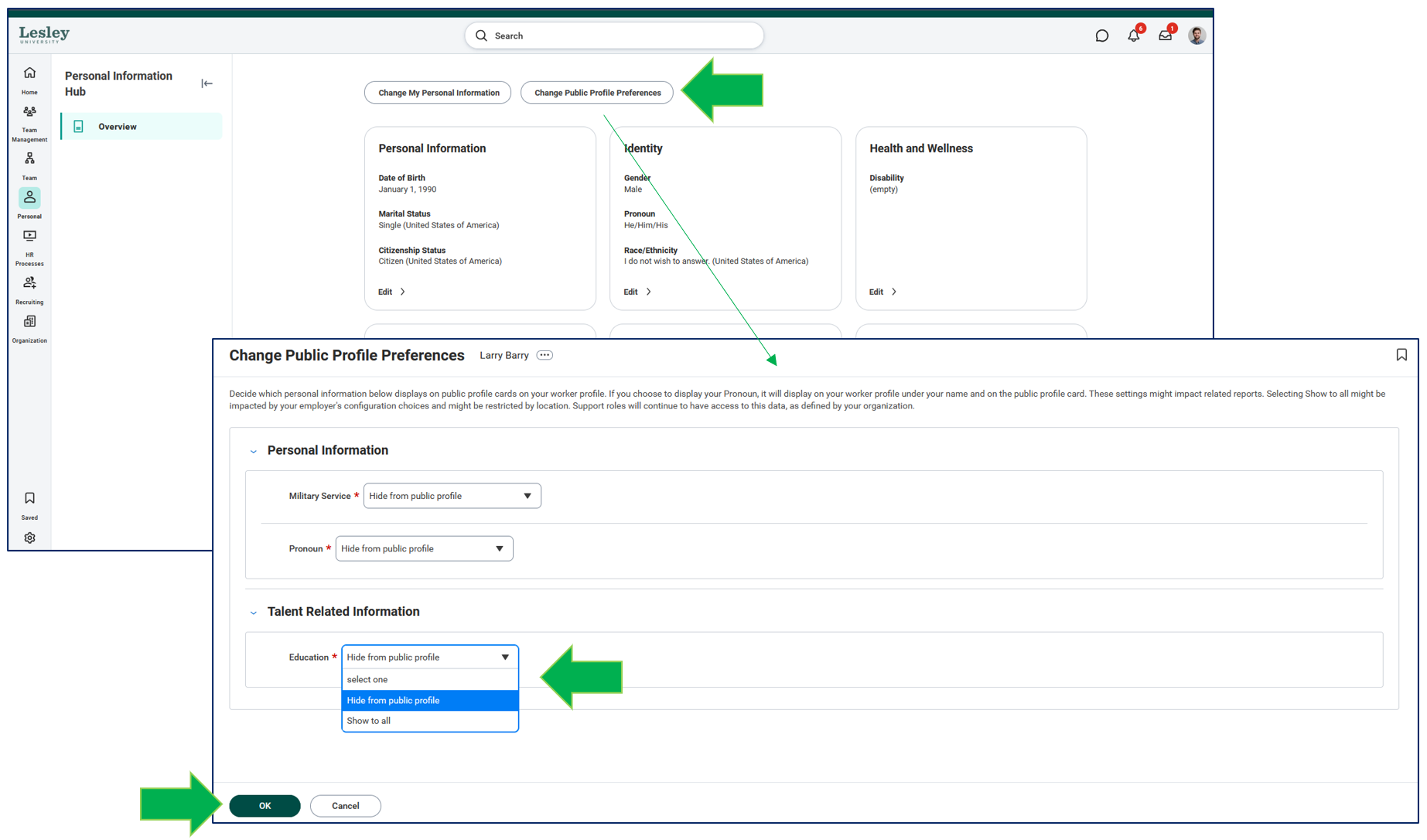
Note: You will be able to either hide or show certain personal information on your public Workday profile.
If you click Change Public Profile Preferences, you will be able to see certain personal information you can either show or hide on your Workday profile. Click OK to save your changes.