TABLE OF CONTENTS
About Course Groups
Your instructor may create Course Groups to support collaboration and learning within the course. These groups are commonly used for group projects, discussions, or study activities, allowing you to work more closely with a smaller number of classmates, share ideas, and communicate with each other.
Your instructor may assign you to a group or allow you to select the group you want to join. They may also decide which tools are available for your group, such as discussions or shared assignments.
The Groups Page
Click on the Groups tab in your course to access your groups. Here you can view your groups, access your group work, and message your group members.
Click on your group's name to enter the group space.
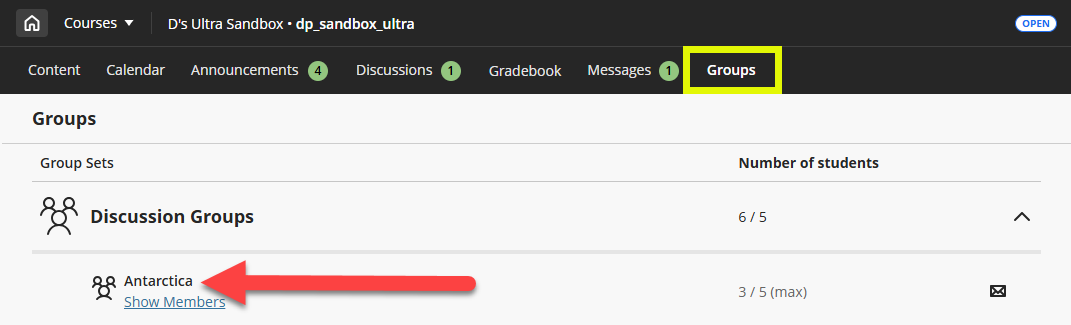
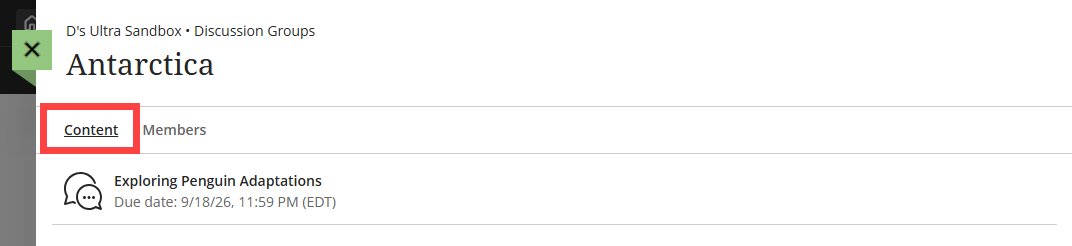
From your group space, you can access all of your group work, including group discussions and assignments.
Click on the Content tab to view and access all group work, including discussions and assignments.
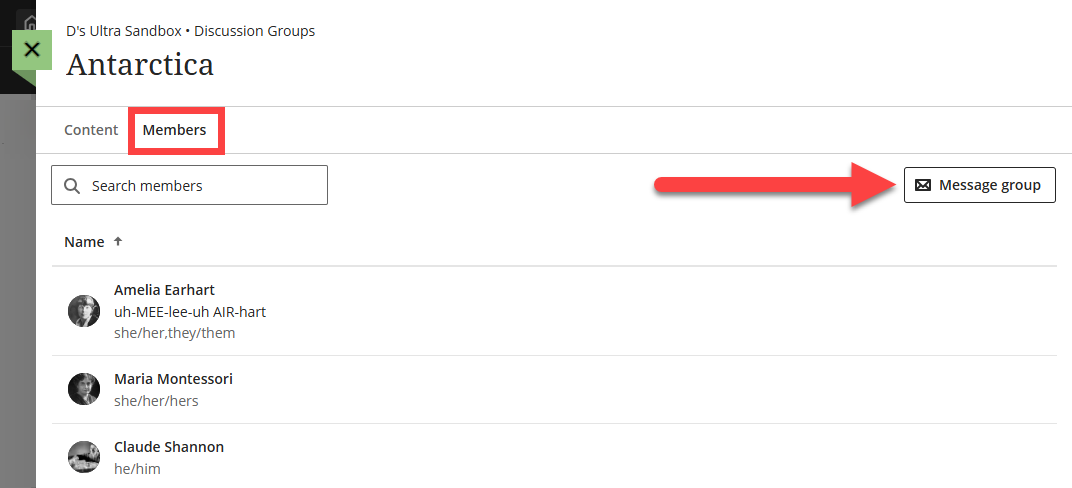
Click on the Members tab to see who is in your group. Click the Message Group button to send a message to your group members.
For more information and detailed instructions, refer to the Groups support page or watch the Work in Groups tutorial video.
Submit Group Work
Your instructor may create group Assignments, Tests, or Discussions where you can collaborate with other students.
Group Assignments and Tests
You may access a group Assignment or Test within your course group or in your Course Content. If your Assignment or Test has been assigned to your group, you will see the name of your group displayed below the title.

While all group members can access and edit the group Assignment or Test, only one person can edit at a time. Once you are ready, select one group member to submit the Assignment or Test. You will receive a pop-up message to confirm that you want to submit on behalf of the group.

For more information, refer to the Group Assignments support page.
Group Discussions
Your instructor may create course groups or groups created just for Discussions. If your Discussion has been assigned to your group, you will see the name of your group displayed below the title.

Group Discussions are private between group members and the instructor. You cannot see other groups' Discussions.
For more information, refer to the Group Discussions support page.
Was this article helpful?
That’s Great!
Thank you for your feedback
Sorry! We couldn't be helpful
Thank you for your feedback
Feedback sent
We appreciate your effort and will try to fix the article