The Courses page in myLesley allows you to view courses in which you are enrolled, view high-level course information, and access your courses.
The courses appear on the Course Timeline in alphabetical order by course name and includes past, present, and upcoming courses.
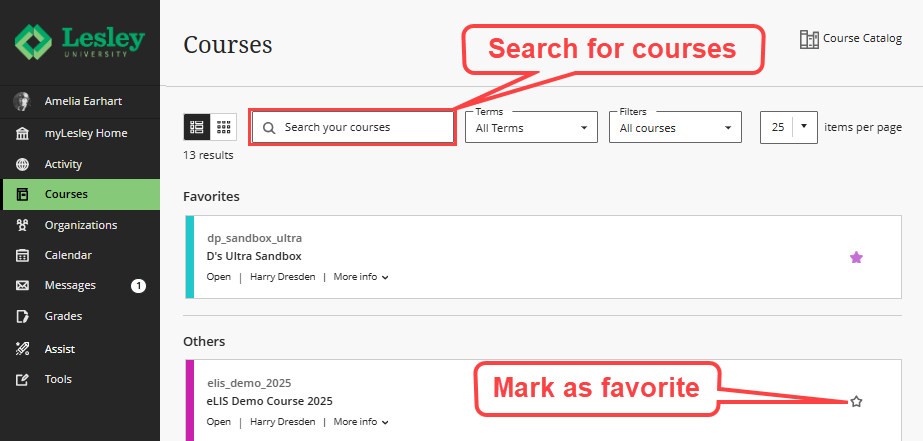
At this time, there is not a way to reorder the way your courses appear on this page. Instead, we recommend using the Favorite button (the star icon) to mark your current courses as favorites and move them to the top of the page.
You may also use the Search feature to search for a specific course by name, course ID, or instructor.
Watch the Favoriting and Searching for myLesley Courses video tutorial for more information.
Was this article helpful?
That’s Great!
Thank you for your feedback
Sorry! We couldn't be helpful
Thank you for your feedback
Feedback sent
We appreciate your effort and will try to fix the article