You can change your profile picture at any time.
Accessing Photo
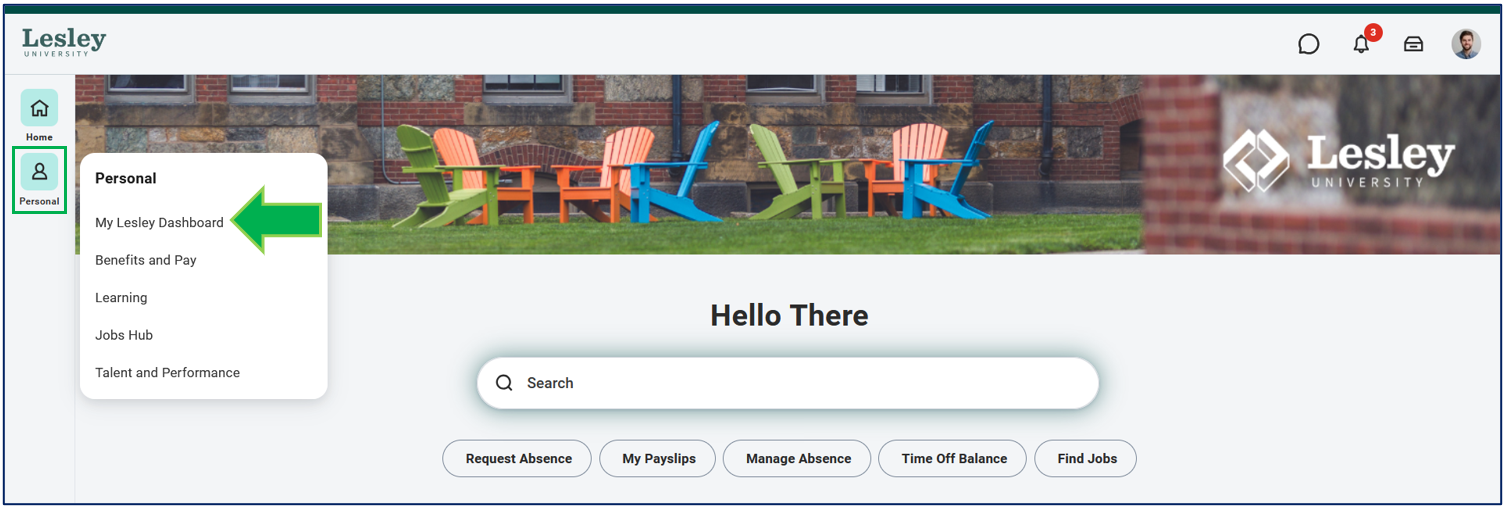
Click on the My Lesley Dashboard from the Personal category on the navigational panel on the left-hand side of your Workday homepage.
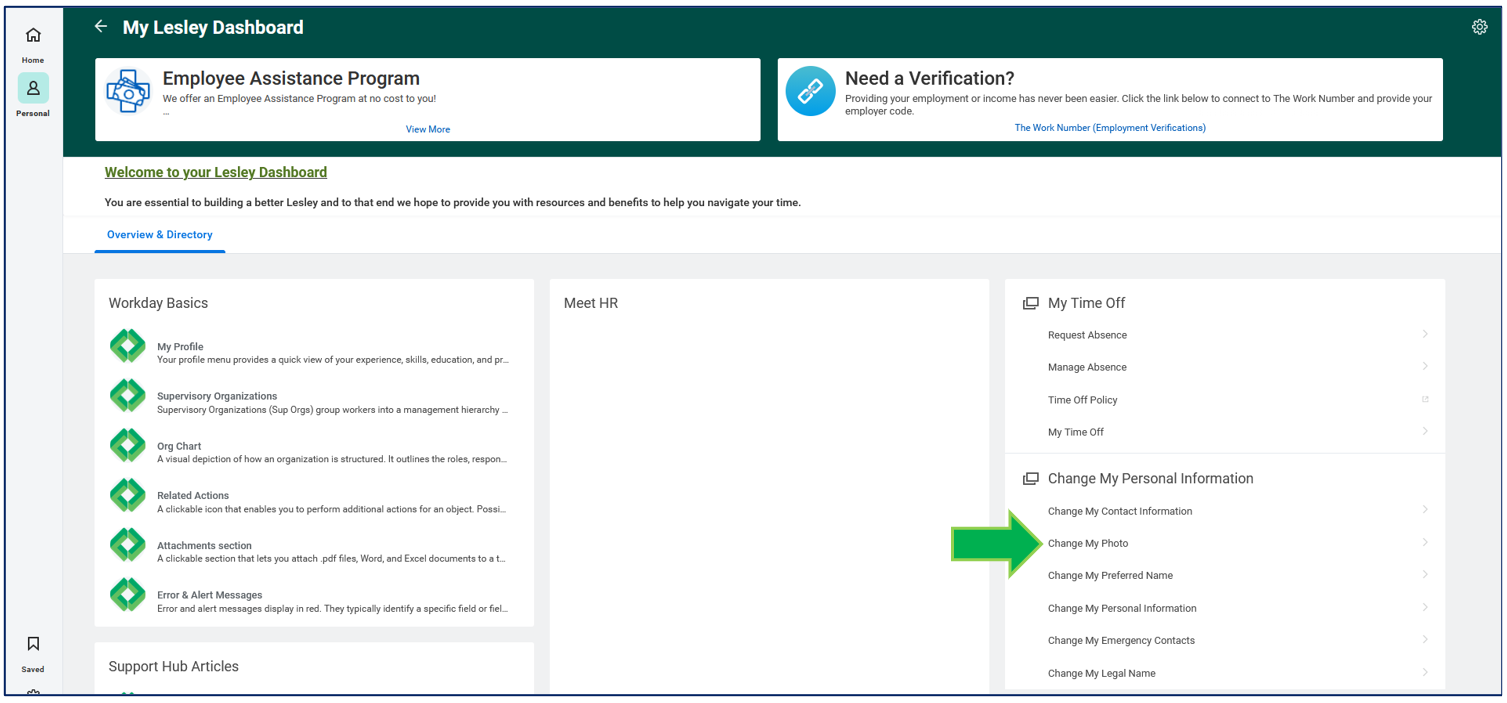
Under the Change My Personal Information table, click Change My Photo.
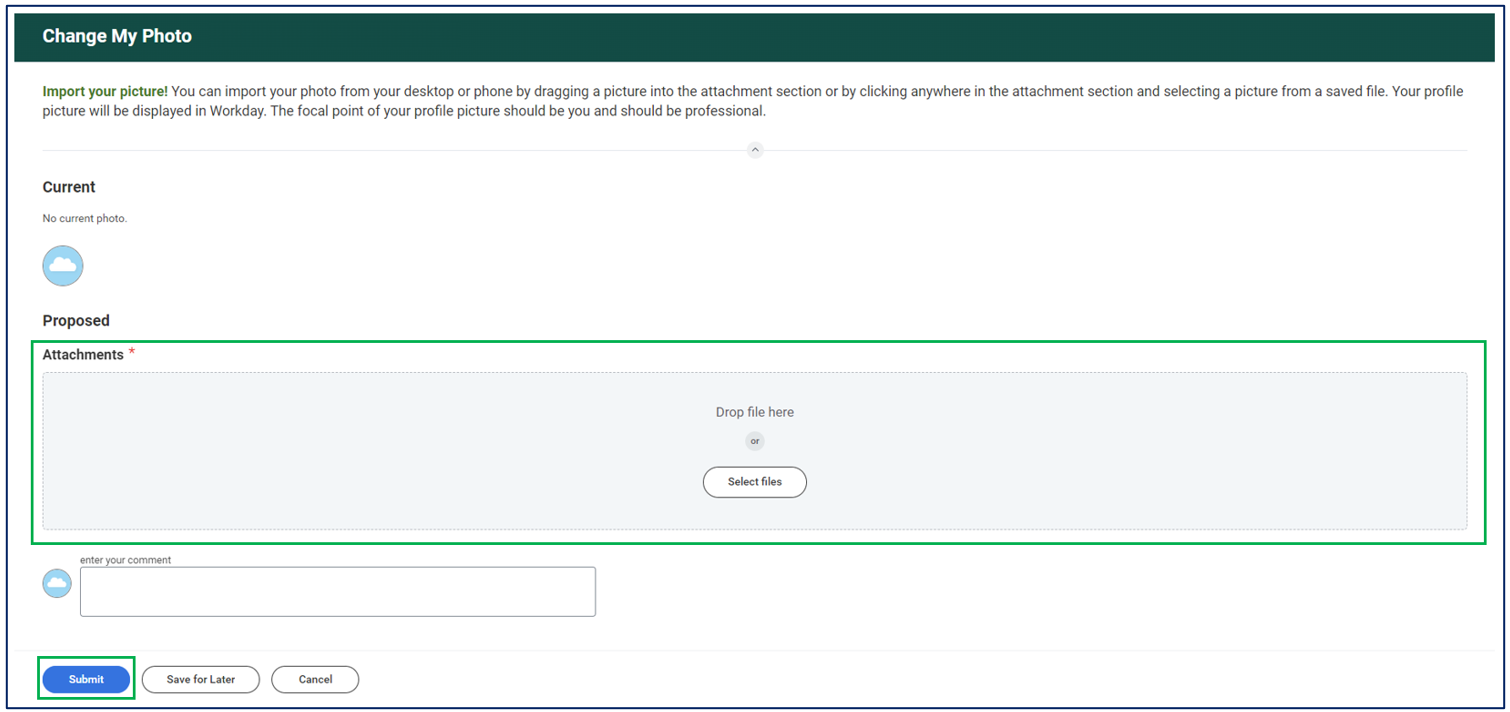
Drag your new profile picture from your data source and drop it into the attachments area or select the file from your device. Once your picture is uploaded, click Submit.
A circle will appear, move the circle to the desired position to center your picture. Click OK to save your changes.


Was this article helpful?
That’s Great!
Thank you for your feedback
Sorry! We couldn't be helpful
Thank you for your feedback
Feedback sent
We appreciate your effort and will try to fix the article